Connecting a bank account
Dub partners with Stripe for secure global payouts. To receive payouts, you’ll need to follow these steps to set up a Stripe Express account:Your payout bank account must match your local currency for compliance
reasons. E.g. if you’re based in the UK, you will need to connect a GBP bank
account to receive payouts.Related FAQ: “Can I receive payouts in USD?”
Initiate the connect payouts flow
First, go to your payout settings on Dub and select “Connect bank account”: This will open up the Stripe Express account onboarding flow (
This will open up the Stripe Express account onboarding flow (connect.stripe.com/setup/e/acct_xxx...).Create Stripe Express account
Then, follow the steps in the onboarding flow to create your Stripe Express account:In one of the steps, you’ll be asked to connect your bank account to receive payouts. You can either connect your account using Stripe’s Financial Connections flow, or by manually inputting your bank account details.
Supported payout countries
Here’s the full list of countries that we support sending payouts to:
If you’re not in a supported country, one workaround is to create a legal entity in any of the supported countries above and use that to receive payouts instead.
For example, you can create a US LLC (using something like Stripe Atlas), which would let you receive payouts in USD.
Once you have an LLC ready, you can go to your partner profile settings and update your profile details accordingly:
- Country – Set to “United States”
- Profile Type – Set to “Company”
- Legal company name – Enter your LLC’s legal name

FAQs
Can I receive payouts in USD?
For compliance reasons, we can only send payouts in your local currency. For example, if you are based in Australia, you will receive payouts in AUD. If you want to receive payouts in USD, you will need to create a US LLC (using something like Stripe Atlas) and update your partner profile settings accordingly:- Country – Set to “United States”
- Profile Type – Set to “Company”
- Legal company name – Enter your LLC’s legal name
Can I connect a savings account instead of a checking account?
While it is possible to connect your savings account instead of a checking account, we highly recommend against it for two main reasons:- Some banks do not allow third-party deposits into savings accounts, which may cause your payout to fail;
- Payouts sent to savings accounts can take significantly longer to process (up to 30 business days, depending on the bank), resulting in payout delays.
Can I connect to my existing Stripe account instead of creating a new one?
Since we use Stripe Express for partner payouts, you can only connect an existing Stripe Express account to Dub (and ***not an existing Stripe account***). Here’s the difference between the two:- Stripe Express – login on
connect.stripe.com - Regular Stripe accounts – login on
dashboard.stripe.com
Do I need to manually withdraw my earnings from Dub?
Unlike platforms like PartnerStack, where you have to manually withdraw your earnings to your bank account – you do not need to manually withdraw your earnings on Dub. Instead, your earnings/payouts are automatically deposited into your connected bank account the moment they are paid by the company.What is the minimum withdrawal amount, and how does it work?
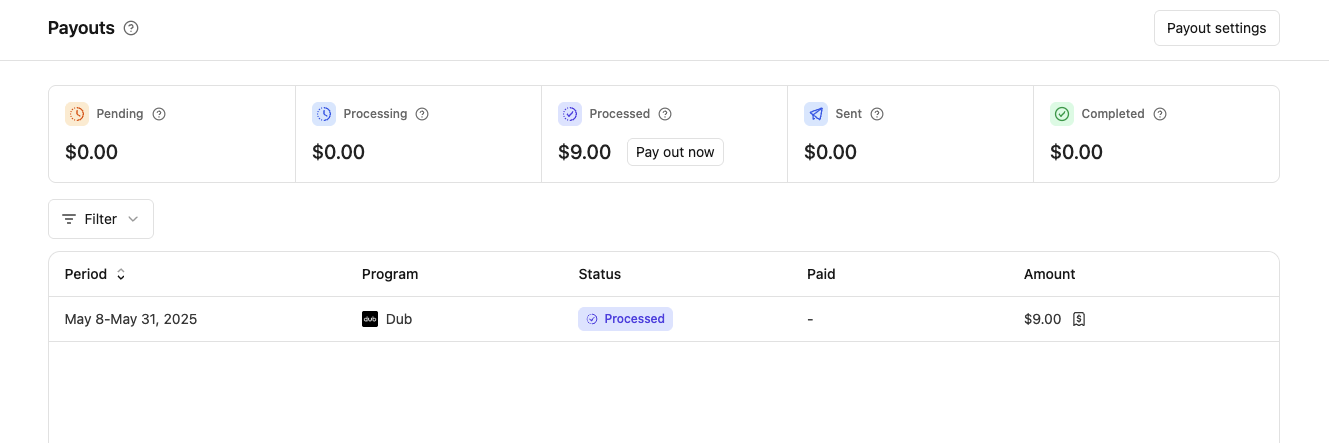
All payouts above $10 will be automatically deposited into your bank account as soon as the program processes its payment. If your payouts are below 0.50 fee. Go to your Payouts page and click on “Pay out now” in the “Processed” box to withdraw your payout.