

Inviting via the dashboard
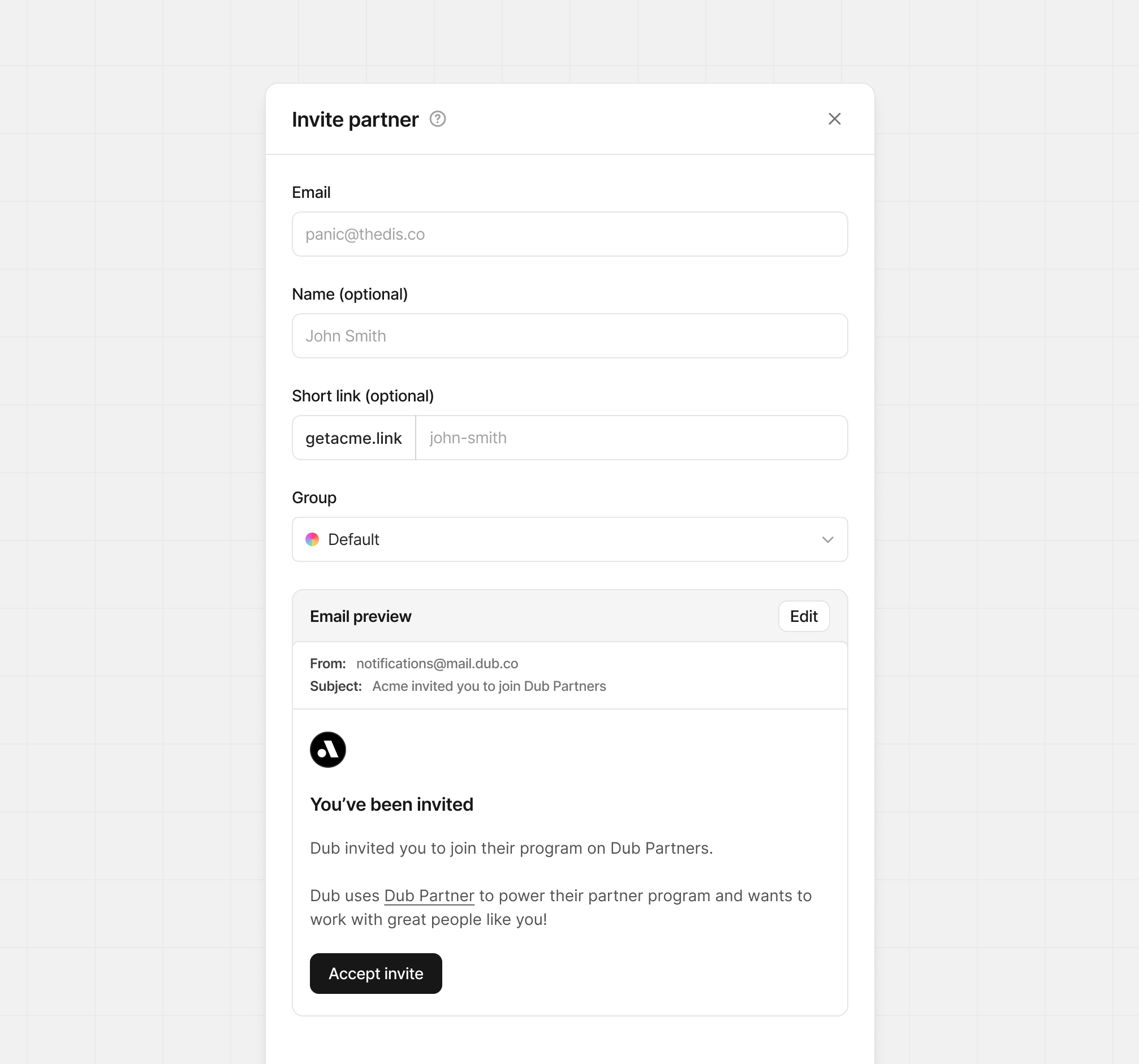
The easiest way to invite a partner to join your program is by sending them an invitation email. To do that, go to your program’s Partners tab and select Invite Partner.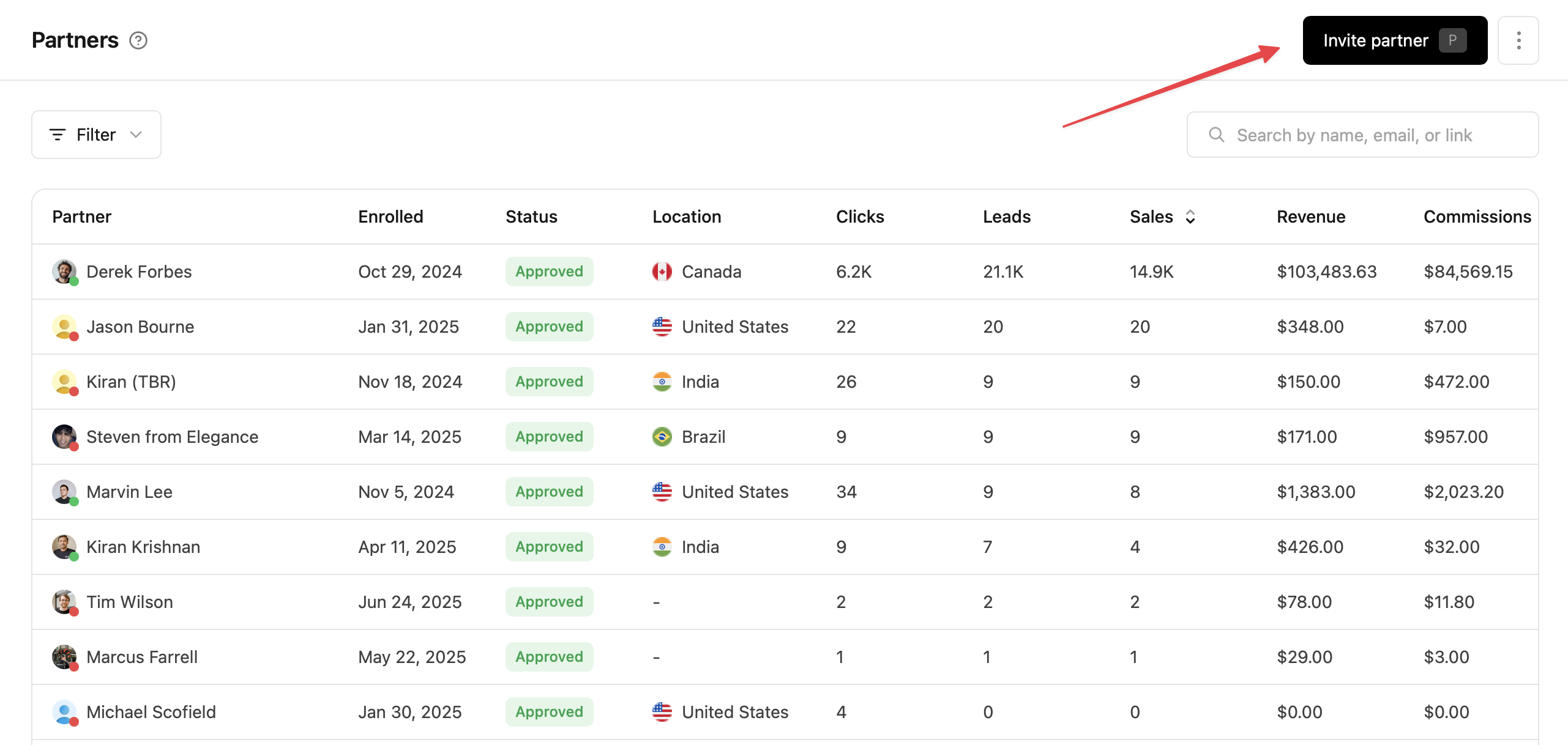 This will open the partner invite sheet, where you can enter the partner’s name, email, and optionally select the group they’re being added to.
Updating invitation email
You’re also able to edit the email that is sent to the invited partner. To do this, click Edit on the email preview section, and open the editor.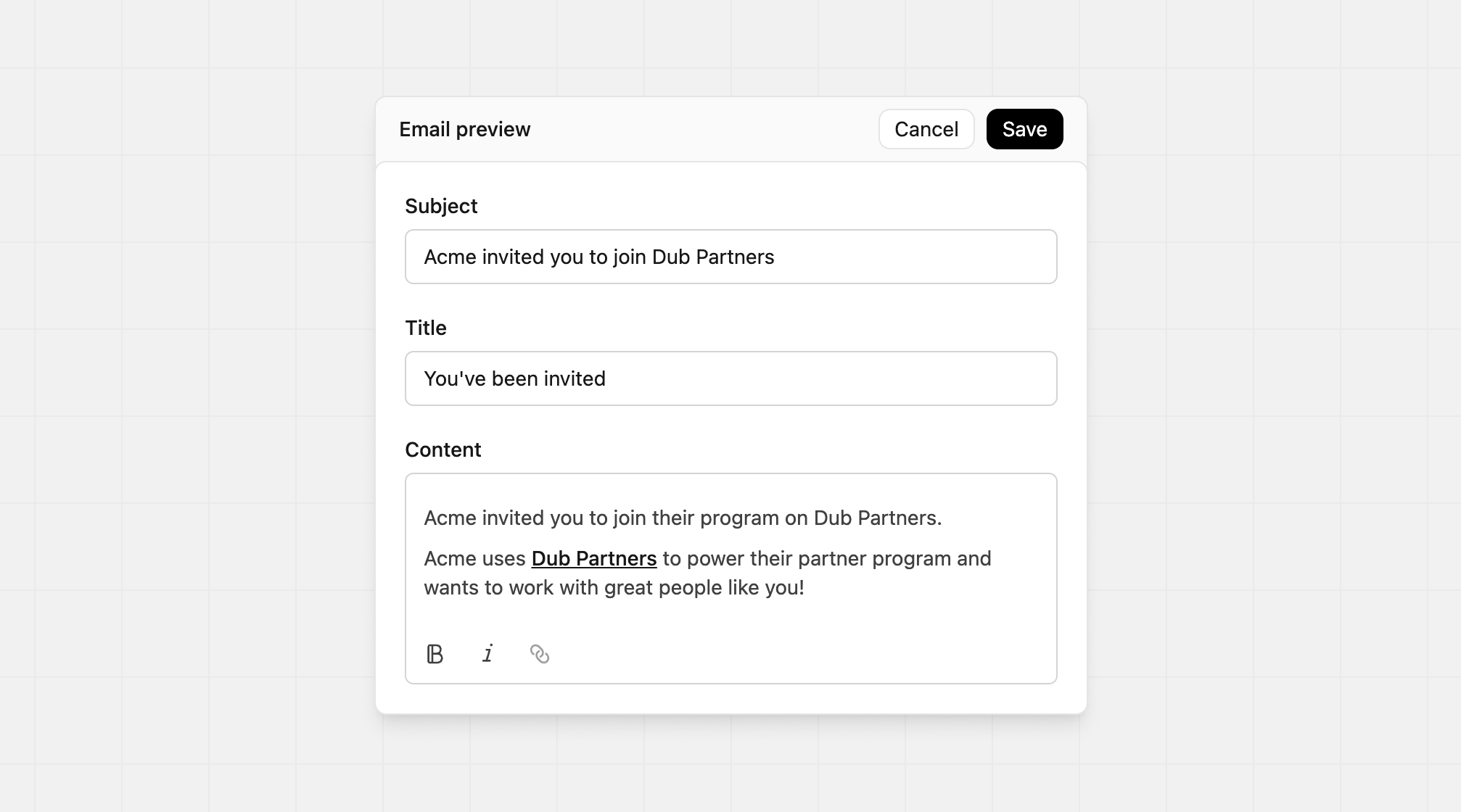 You can change the email subject, title, and content for the invite. Changes made here don’t replace the default content.
In the content editor you can change the styling of the text using the Bold and Italic buttons at the bottom, or add a link to your text. If you prefer markdown, we also support the following styles:
You can change the email subject, title, and content for the invite. Changes made here don’t replace the default content.
In the content editor you can change the styling of the text using the Bold and Italic buttons at the bottom, or add a link to your text. If you prefer markdown, we also support the following styles:
| Type | Markdown |
|---|---|
| Bold | **Bold text** |
| Italic | *italic text* |
| Inline Hyperlinks | [Dub](https://dub.co) |
| Bulleted lists | 1. First item 2. Second item |
| Ordered lists | - First item - Second item |
| Blockquote | > Content shows here |
Viewing past invites
To view your previous invites, click the Filter button in the top left of the Partners table, click Status, then Invited.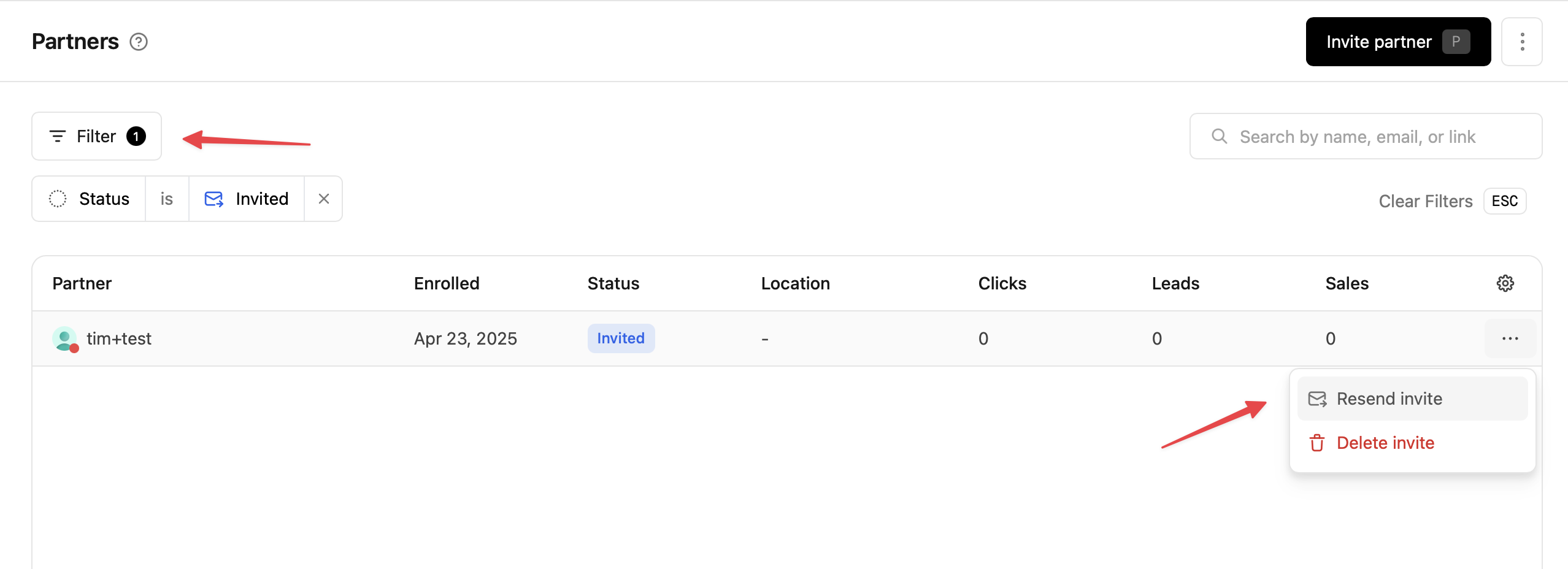 This will filter the partners by your invited partners, where you can resend your previous invites if needed.
To prevent spamming inboxes, you can only resend an invite every 24 hours.
Enrolling a partner automatically
Instead of sending an invitation email and waiting for them to accept it, you can also automatically enroll known partners in your program.- Programmatically adding your apps users to your in-app referral program
- Migrating your partners over from another platform like Rewardful