

Migrating from another platform? Check out our migration
guides or contact
support.
The flow at a glance
| Step | What you do |
|---|---|
| 1 | Getting started (company, logo, domain, website) |
| 2 | Configure rewards (sale/lead, %, duration) |
| 3 | Invite partners (optional now) |
| 4 | Help and Support (support email, terms) |
| 5 | Overview (review and create) |
Step 1: Getting started
Goal: Set your company info and where partner links will send people.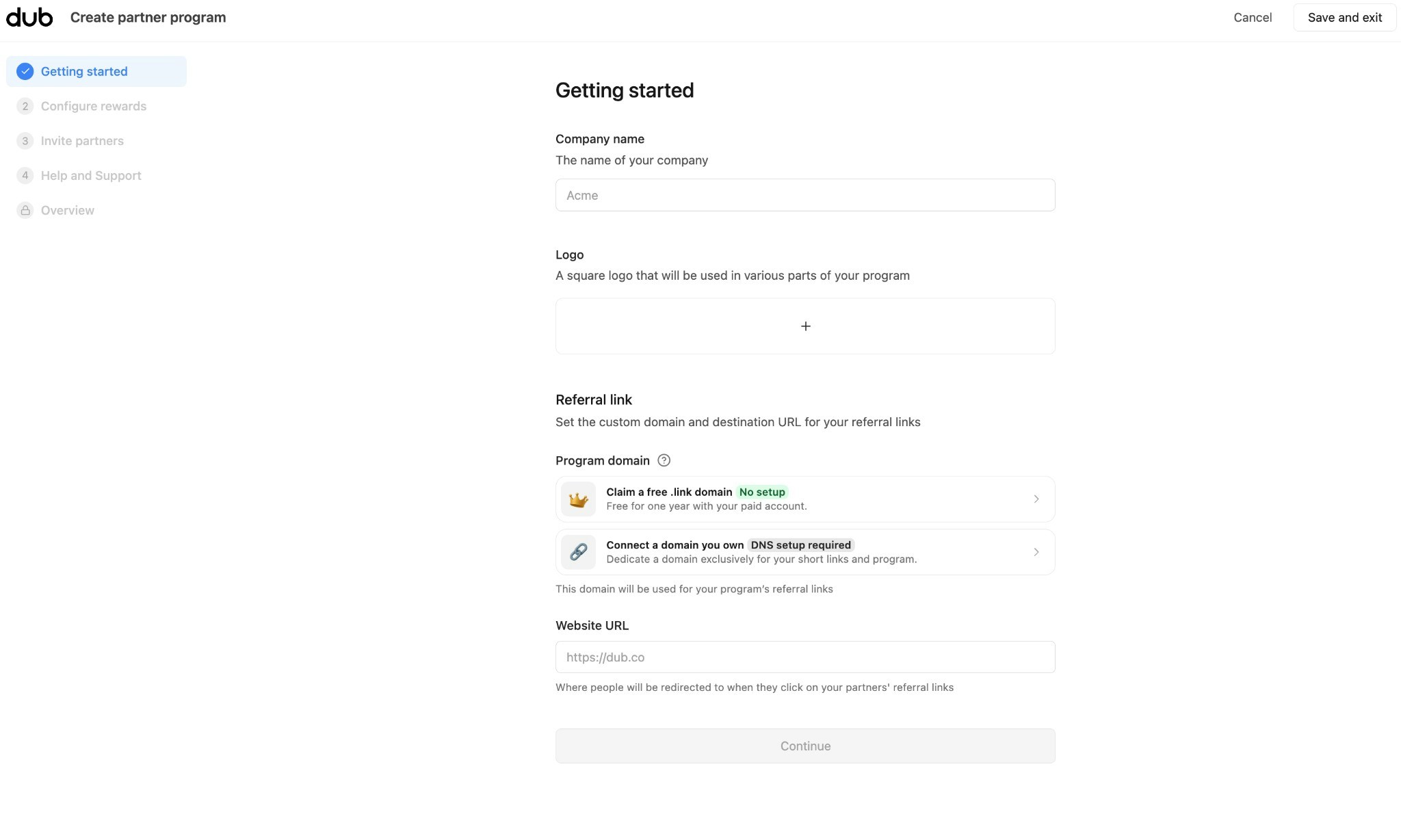
- Company name – The name of your company (e.g., “Acme”).
- Logo – Upload a square logo. It appears on your program landing page and in partner materials.
- Referral link – Set the domain and destination for partner links:
- Program domain – Choose one:
- Claim a free .link domain – No setup. Free for one year with your paid account.
- Connect a domain you own – DNS setup required. Use a domain dedicated to your program (e.g.,
refer.yourcompany.com).
- Website URL – Where visitors go when they click a partner’s referral link (e.g.,
https://yourproduct.com).
- Program domain – Choose one:
Step 2: Configure rewards
Goal: Define how partners earn—e.g., 15% of each sale for 12 months.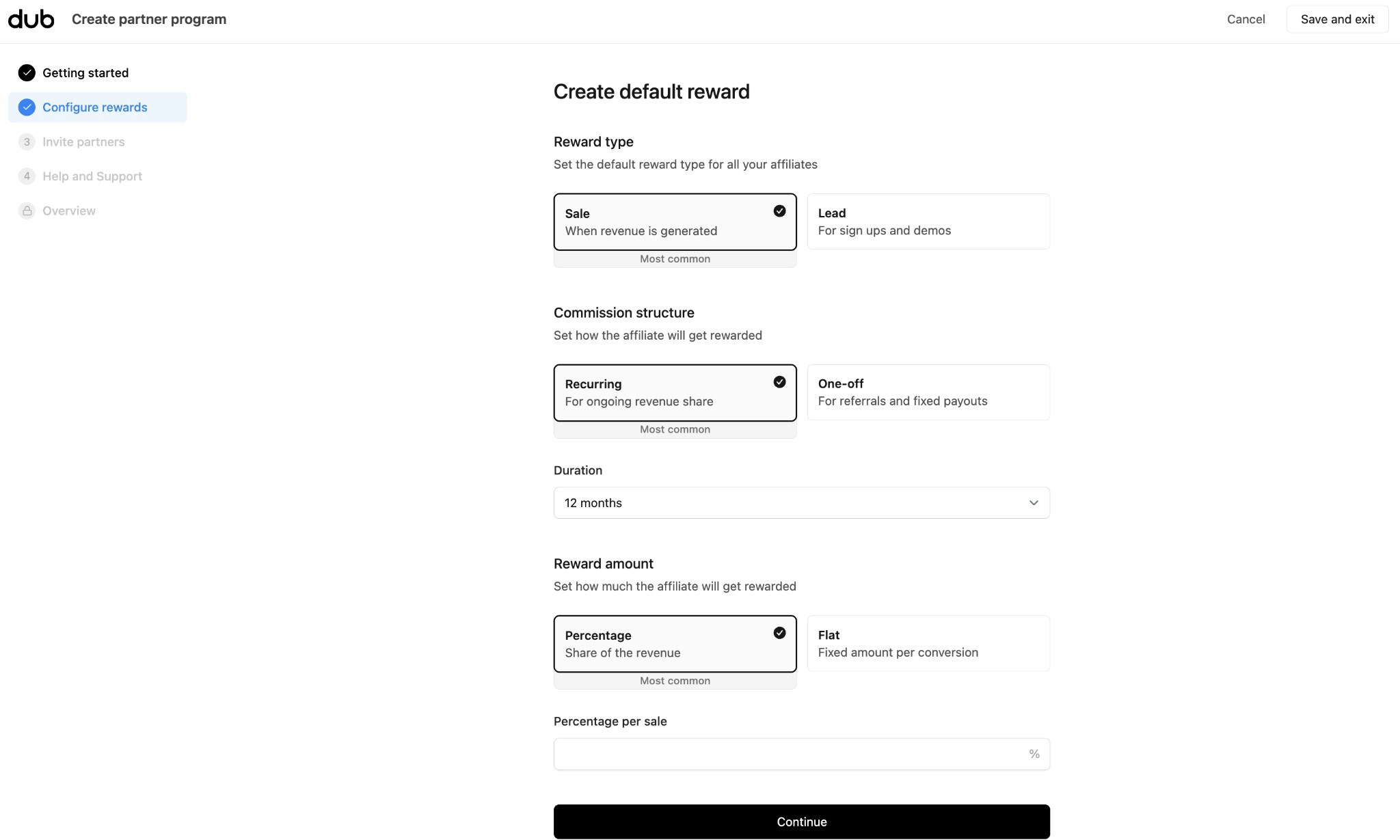
-
Reward type – What partners get paid for:
- Sale – When revenue is generated (most common for SaaS).
- Lead – For sign-ups and demos.
-
Commission structure – How the reward applies:
- Recurring – Ongoing revenue share (e.g., 15% of each payment for 12 months). Most common for subscriptions.
- One-off – Fixed payout per conversion (e.g., $20 per sale).
- Duration – For recurring: how long partners earn (e.g., 12 months).
-
Reward amount – How much partners earn:
- Percentage – Share of revenue (e.g., 15% per sale).
- Flat – Fixed amount per conversion (e.g., $20 per lead).
Step 3: Invite partners
Goal: Optionally invite your first partners now. You can skip and add them later.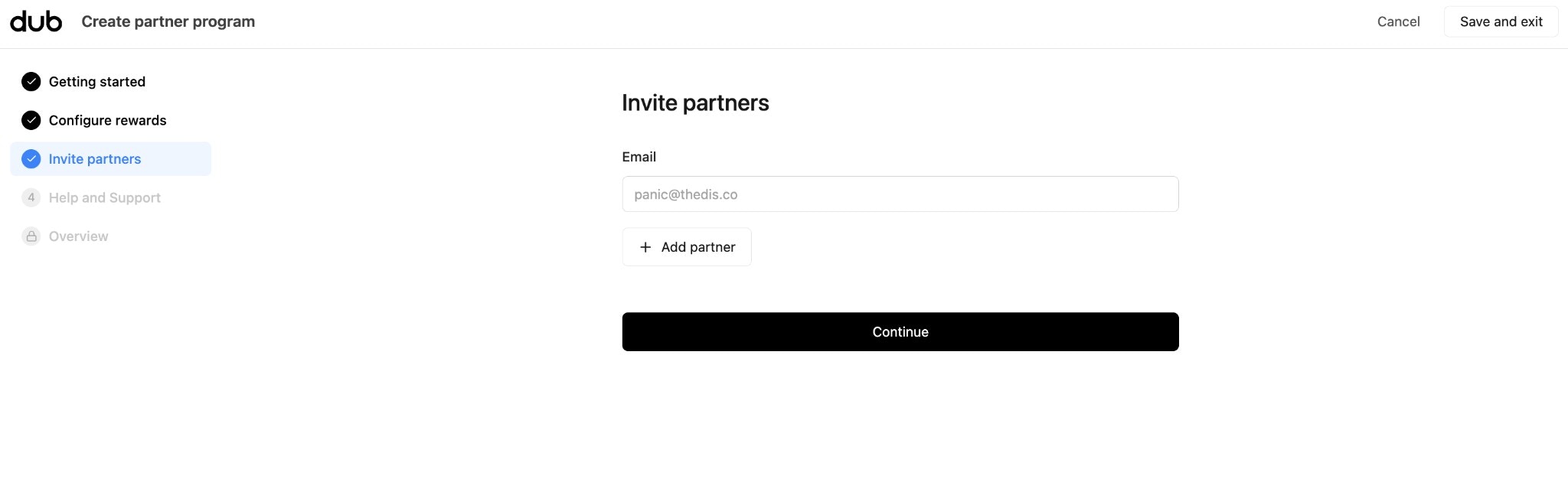
- Enter partner email addresses.
- Click + Add partner to add each one.
- Click Continue to proceed (you can also skip and invite later from the Partners tab).
Step 4: Help and Support
Goal: Add support info that partners see on their dashboard. Support email is required before your first partner joins.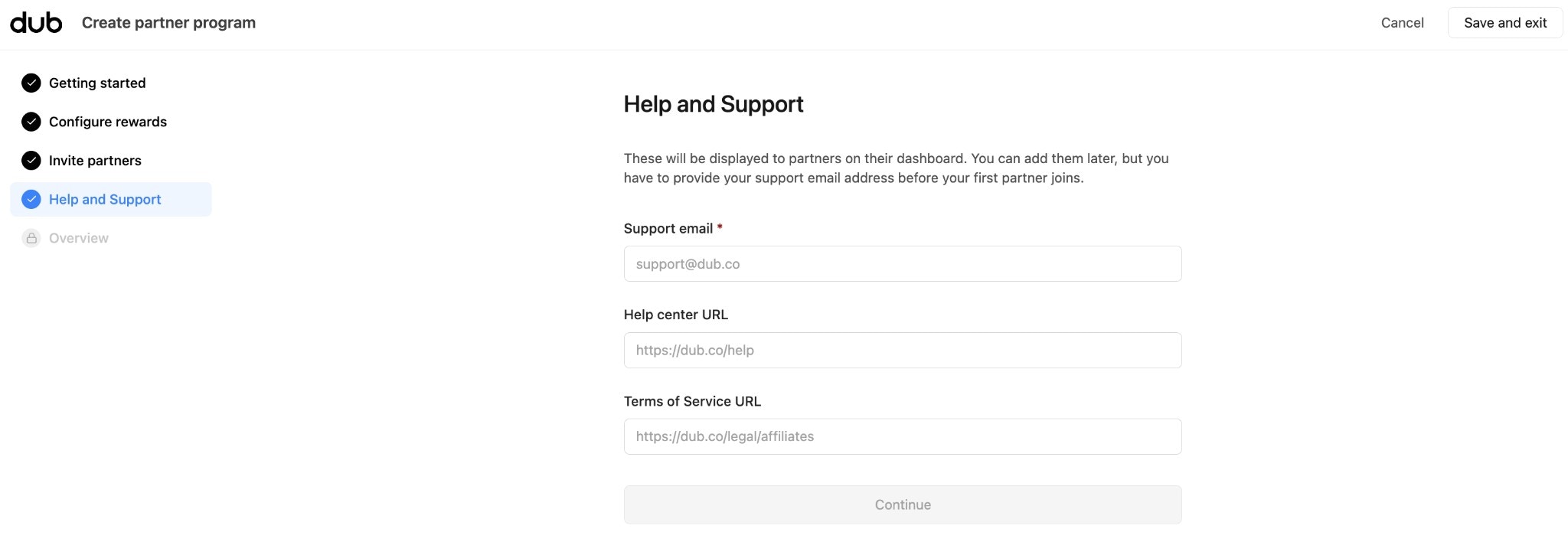
- Support email (required) – Where partners can reach you for questions.
- Help center URL – Link to your help docs or FAQ (e.g.,
https://yourcompany.com/help). - Terms of Service URL – Link to your affiliate/partner terms (e.g.,
https://yourcompany.com/legal/affiliates).
Step 5: Overview
Goal: Review your choices and create the program.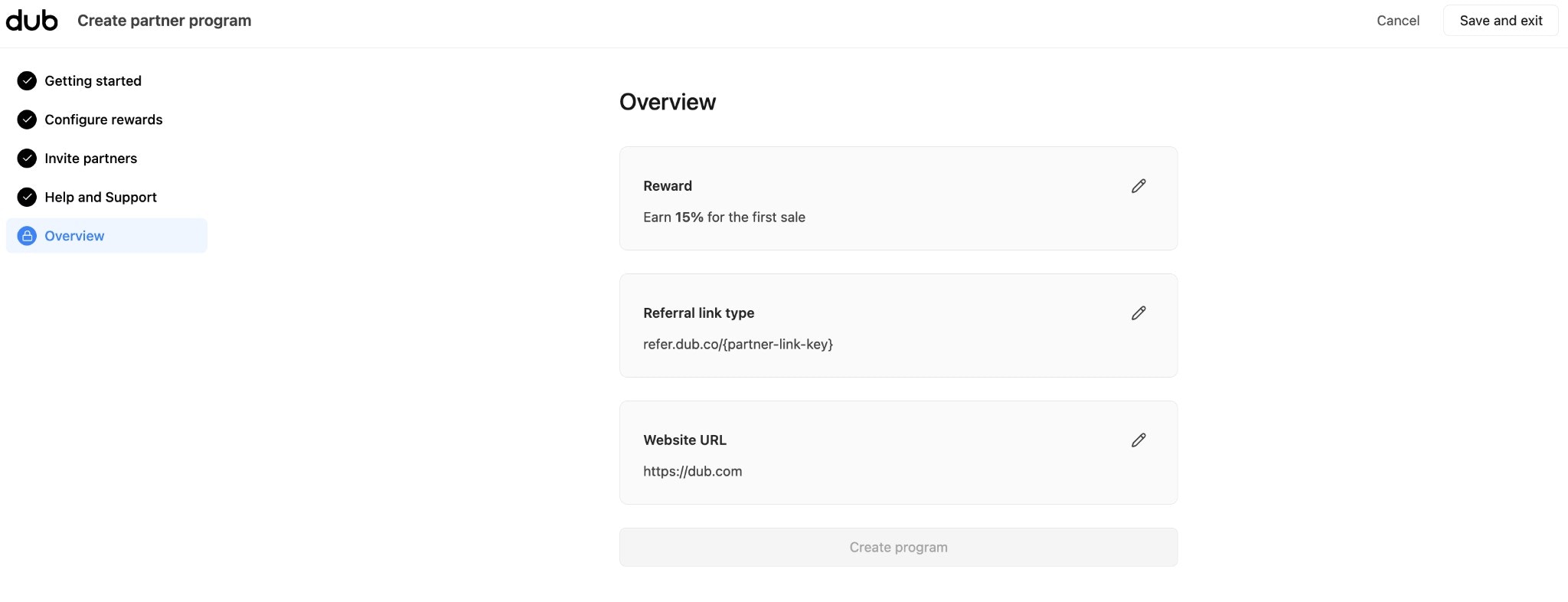
- Reward – e.g., “Earn 15% for the first sale”
- Referral link type – e.g.,
refer.dub.co/{partner-link-key} - Website URL – Where partner links redirect
What’s next?
Your program is created. Two things to do before partners can earn:Install conversion tracking
So Dub knows when a partner’s referral signs up or buys
Connect payouts
So partners can receive their commissions