

| Reward type | Description |
|---|---|
| Click-based (pay-per-click) | Rewarding partners for driving clicks to your product – similar to how Google Ads’ pay-per-click works. |
| Lead-based (pay-per-lead) | A more effective alternative to pay-per-click, where you reward partners for leads generated (e.g. demo requests, free trial signups, etc.) |
| Sale-based (pay-per-sale) | This is the most common reward type, where you reward partners for driving sales to your product either via a rev-share or fixed-price commission. |
Default group rewards
After initial onboarding, you can create additional rewards for clicks, leads, or sales, depending on how you initially set up the group. These rewards will be made available to all partners who join your program.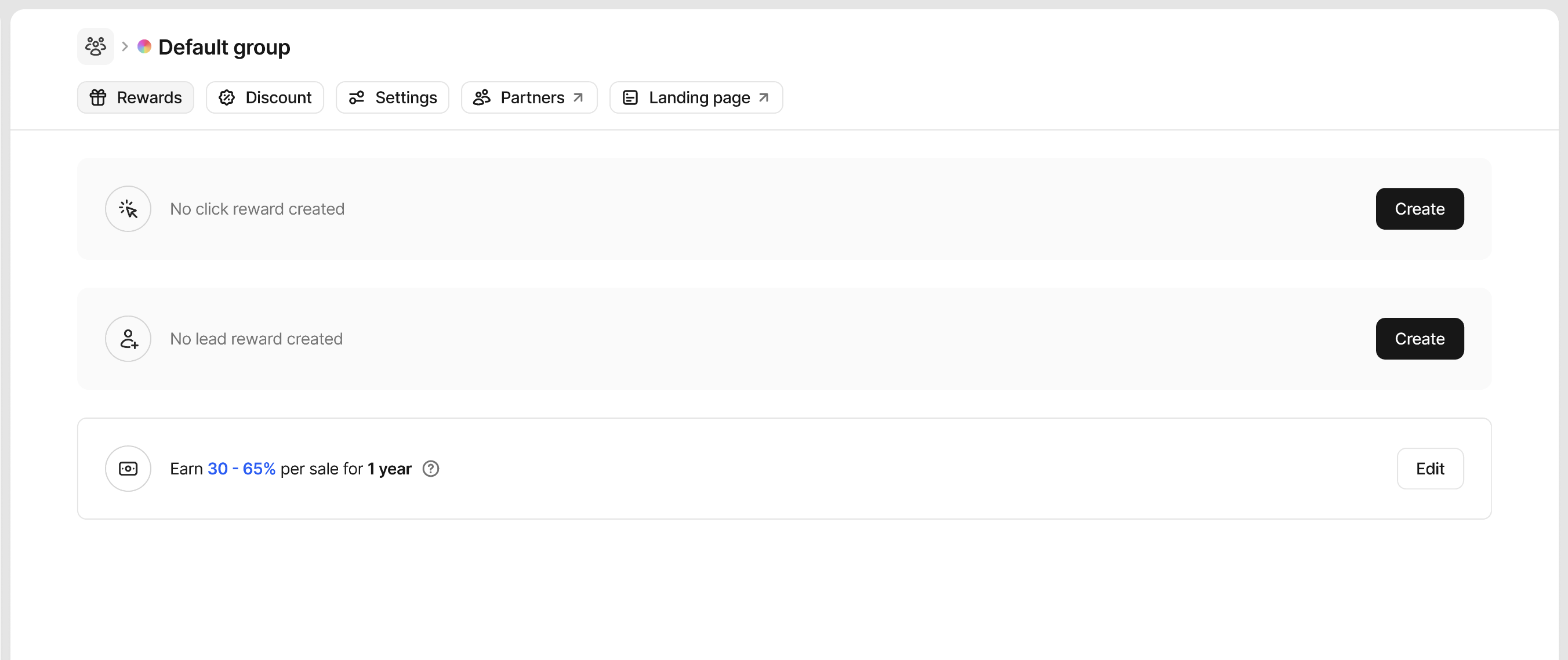
Creating a reward
Our reward builder lets you create simple and complex rewards quickly and easily. When the reward builder initially opens, you’ll see the basics required to create a reward. Clicking on the differentBlue and Orange input prompts allow you to change the structure of the reward.
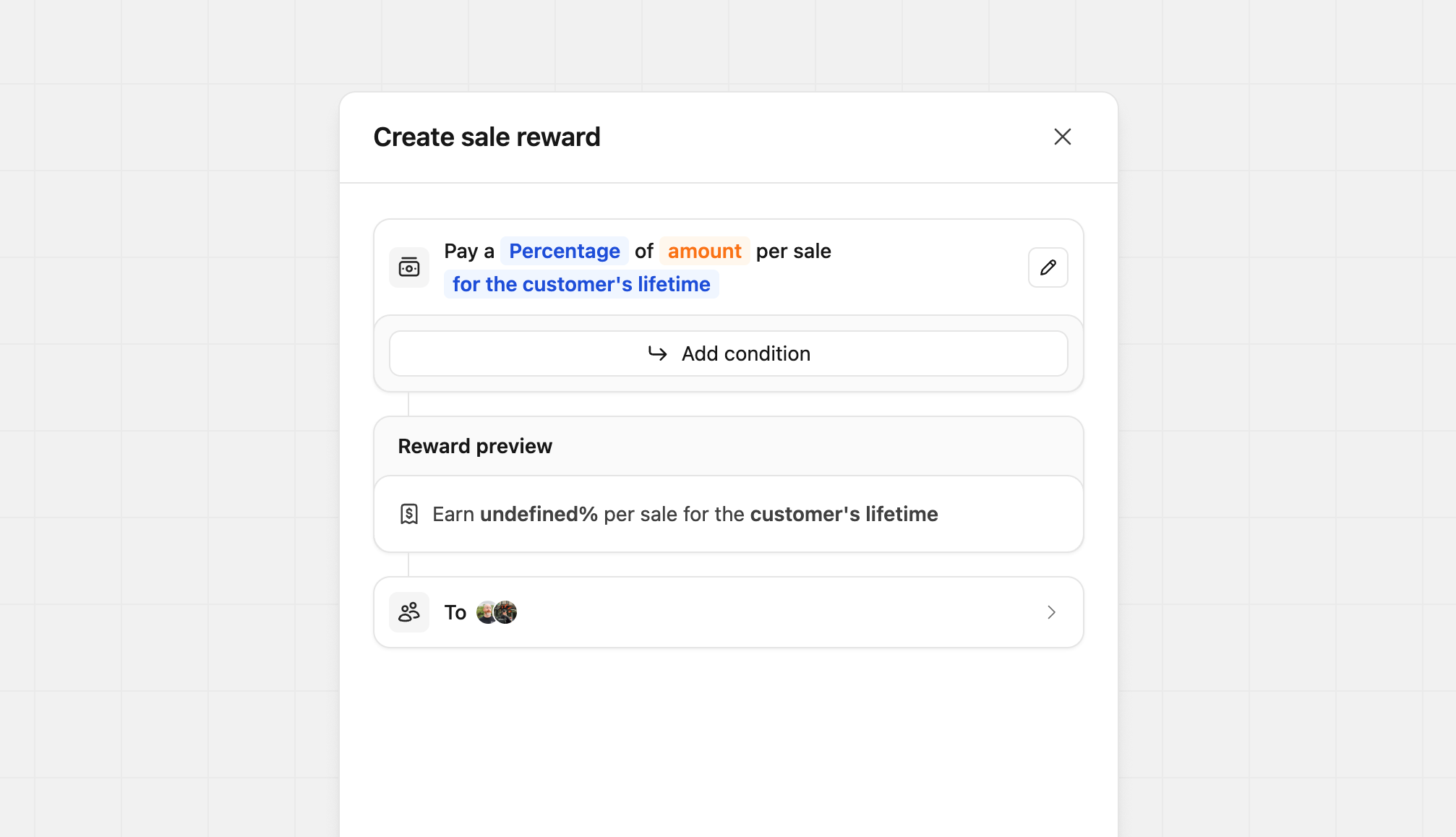
Configuring reward types
Depending on the type of reward you’re creating, you can choose between a flat fee or a percentage-based commission:| Reward Type | Model | Description | Example |
|---|---|---|---|
| Click | Flat | Partners receive a fixed fee for each click generated | $2 per click |
| Lead | Flat | Partners receive a fixed fee for each qualified lead | $50 per lead |
| Sale | Percentage | Partners receive a percentage of sales (revenue share) | 30% of sale value |
| Sale | Flat | Partners receive a fixed fee for each completed sale | $50 per sale |
- One time
- For a set period (anywhere between 3 months to 3 years)
- For the customer’s lifetime
Adding reward conditions
On Dub, you can also set specific requirements for reward completion and can even reward a different type (flat rate or percentage), amount, and duration when they are met. They are available for sale and lead rewards only, and allow you to set conditions like the following:- Higher rewards for sales and leads from a specific country
- Higher rewards for sales of specific products
- Higher rewards for partners with more than 100 conversions
- Higher rewards for sales over a specific amount
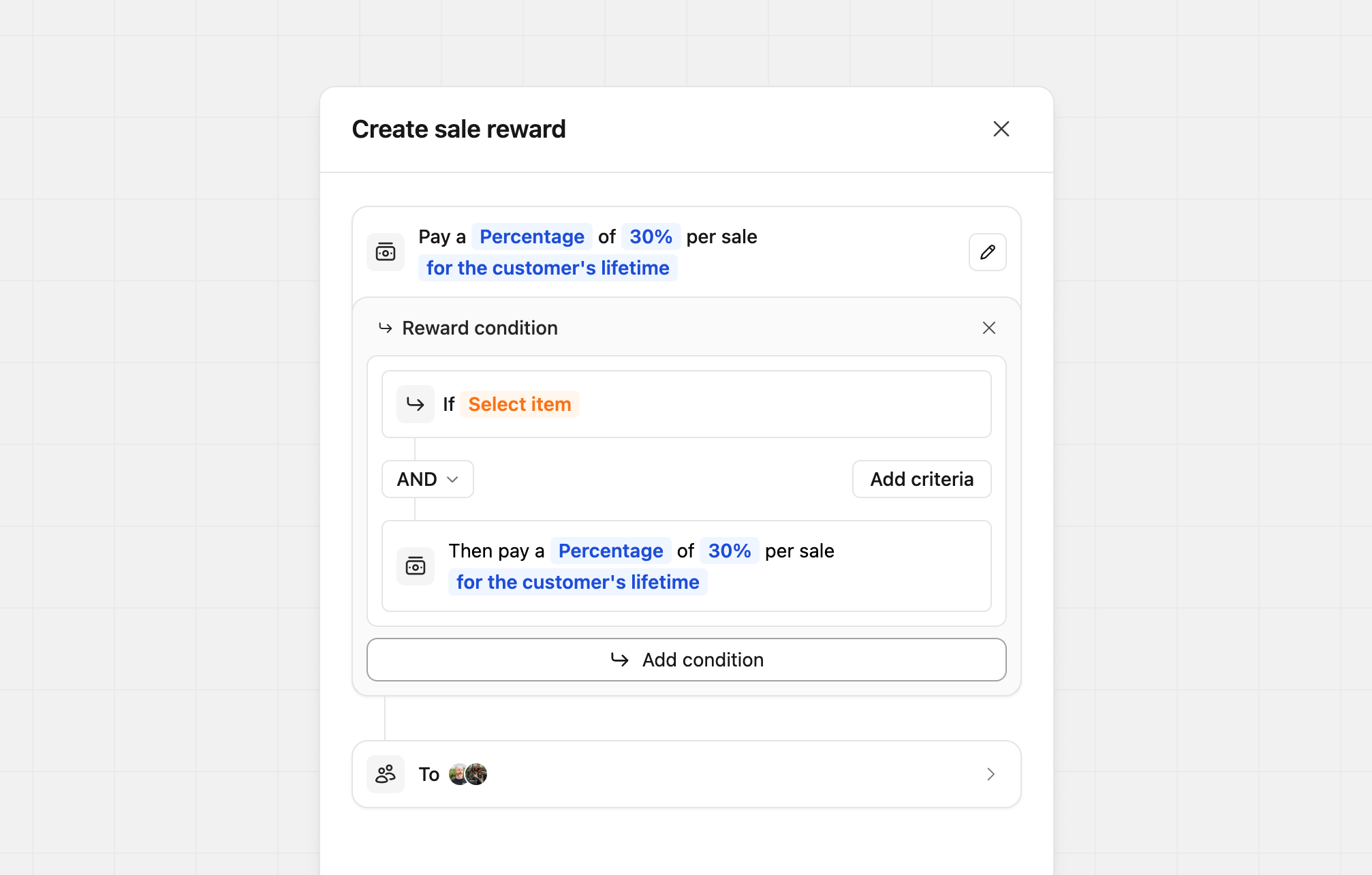 Each condition can be based on either
 Customer, Sale, or Partner, allowing you to mix and match reward conditions to suit your program best.
Conditions let you use AND or OR statements to control how they work. Each condition is tied only to its own reward and doesn’t affect others. As shown in the example below, your conditions can be as simple or as complex as you need.
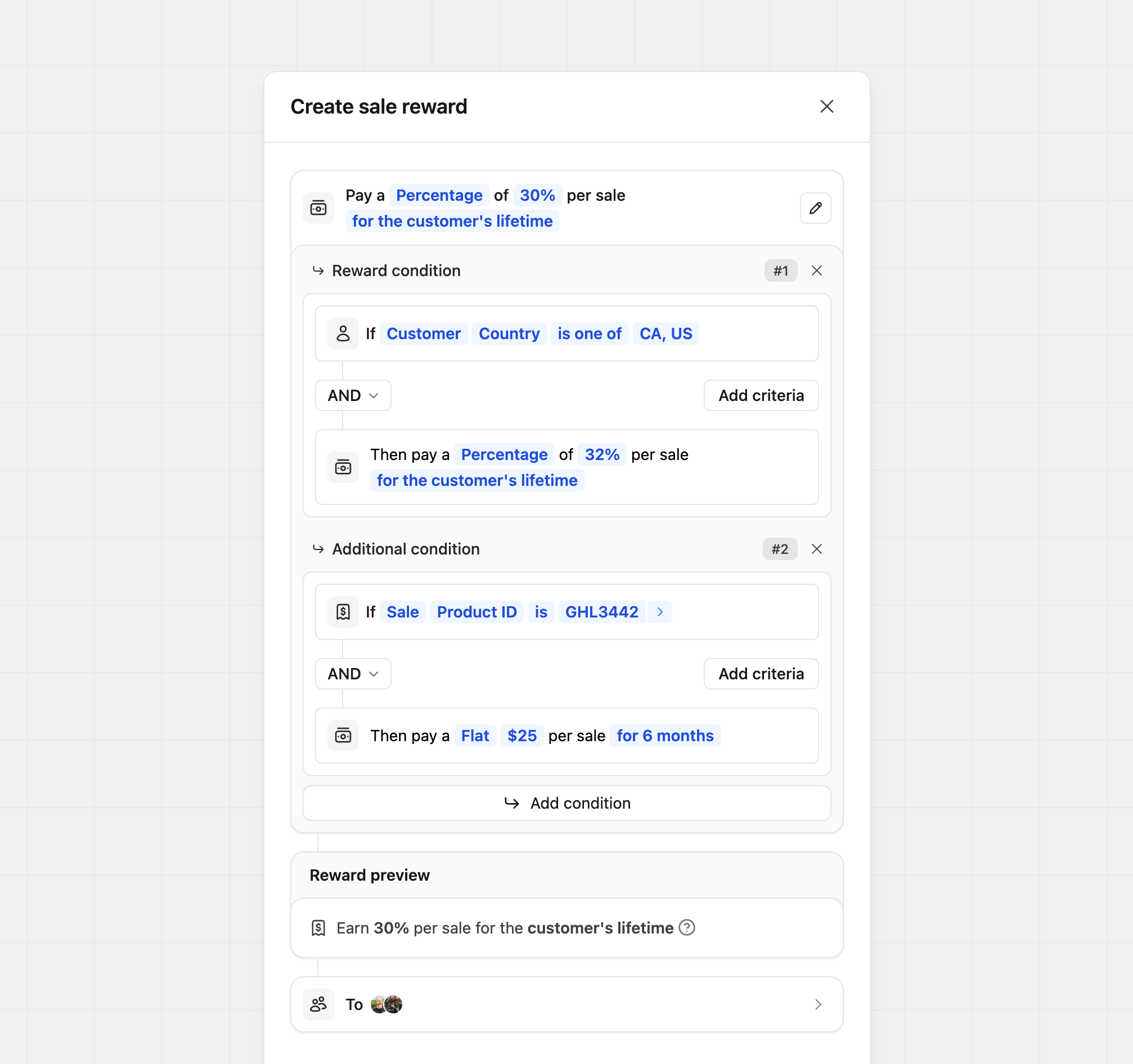
Custom reward descriptions
By default, Dub automatically generates reward descriptions when rewards are created. In some cases, you may want to customize how those rewards are presented to partners, whether that’s to better match your brand voice or to make a complex reward easier to understand. To edit a reward’s content, click the pencil icon next to the main reward builder. This opens the content editor, where you can update the primary reward description and optionally add more context using the reward tooltip.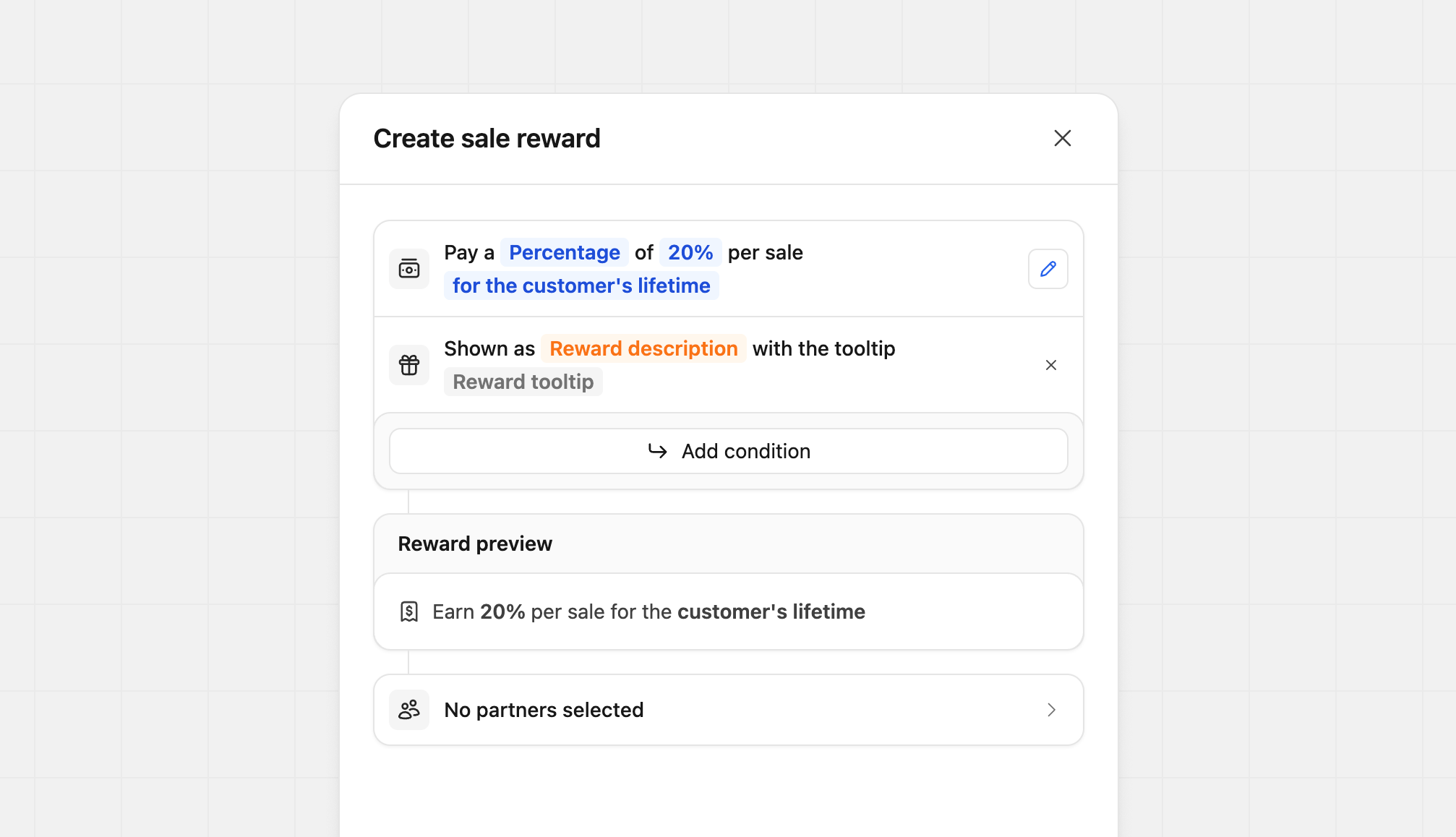 Click
Click Reward description to update the main description. You can enter up to 100 characters to clearly explain the reward at a glance.
 Click
Click Reward tooltip to edit the tooltip content. Tooltips support basic markdown and allow up to 2,000 characters, making them ideal for adding detailed explanations or terms.
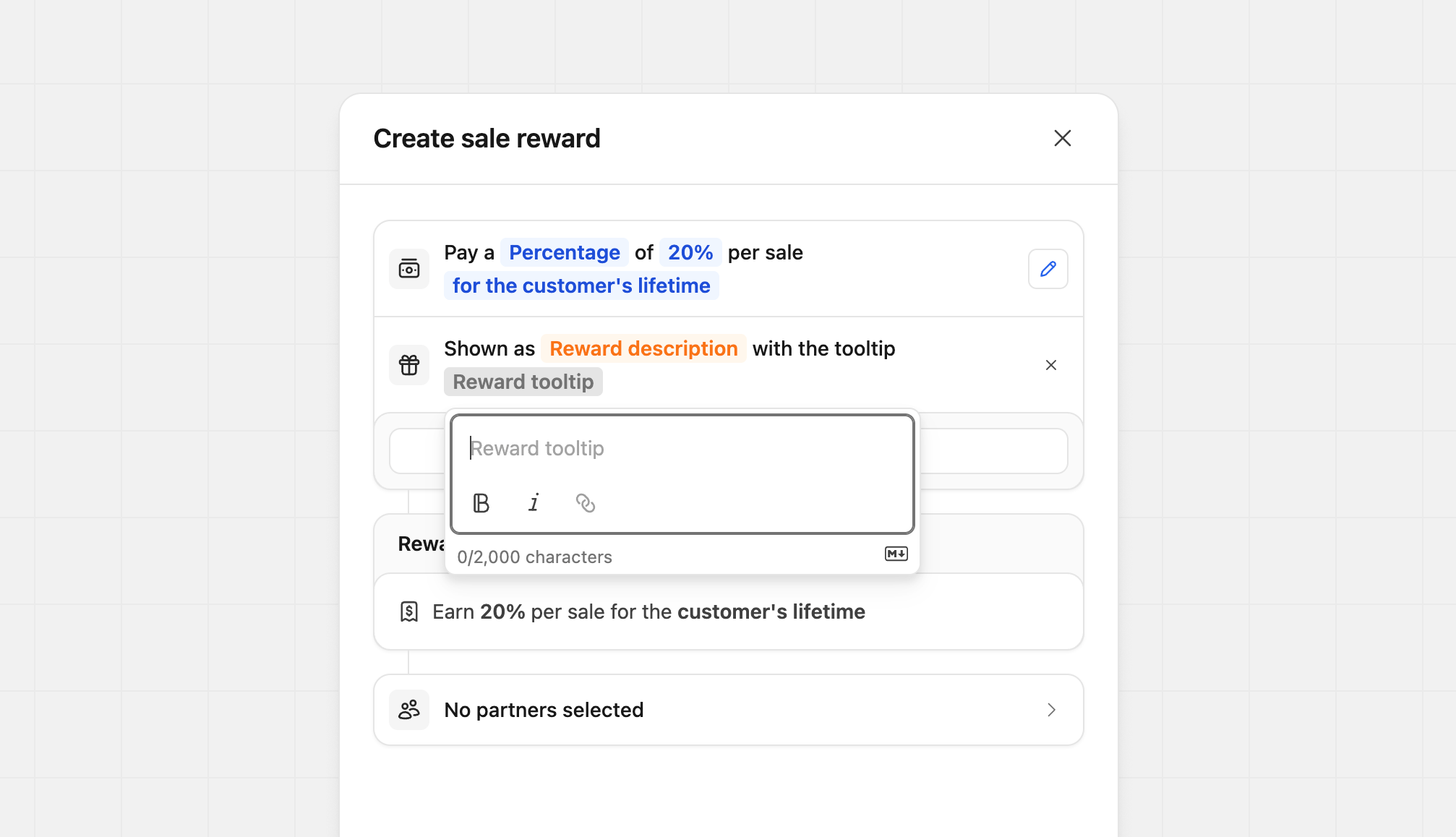 You can customize each field independently. For example, you might only update the tooltip for a more complex reward while leaving the main description unchanged. You can also do the opposite, updating the description without touching the tooltip. This flexibility lets you tailor each reward without extra work.
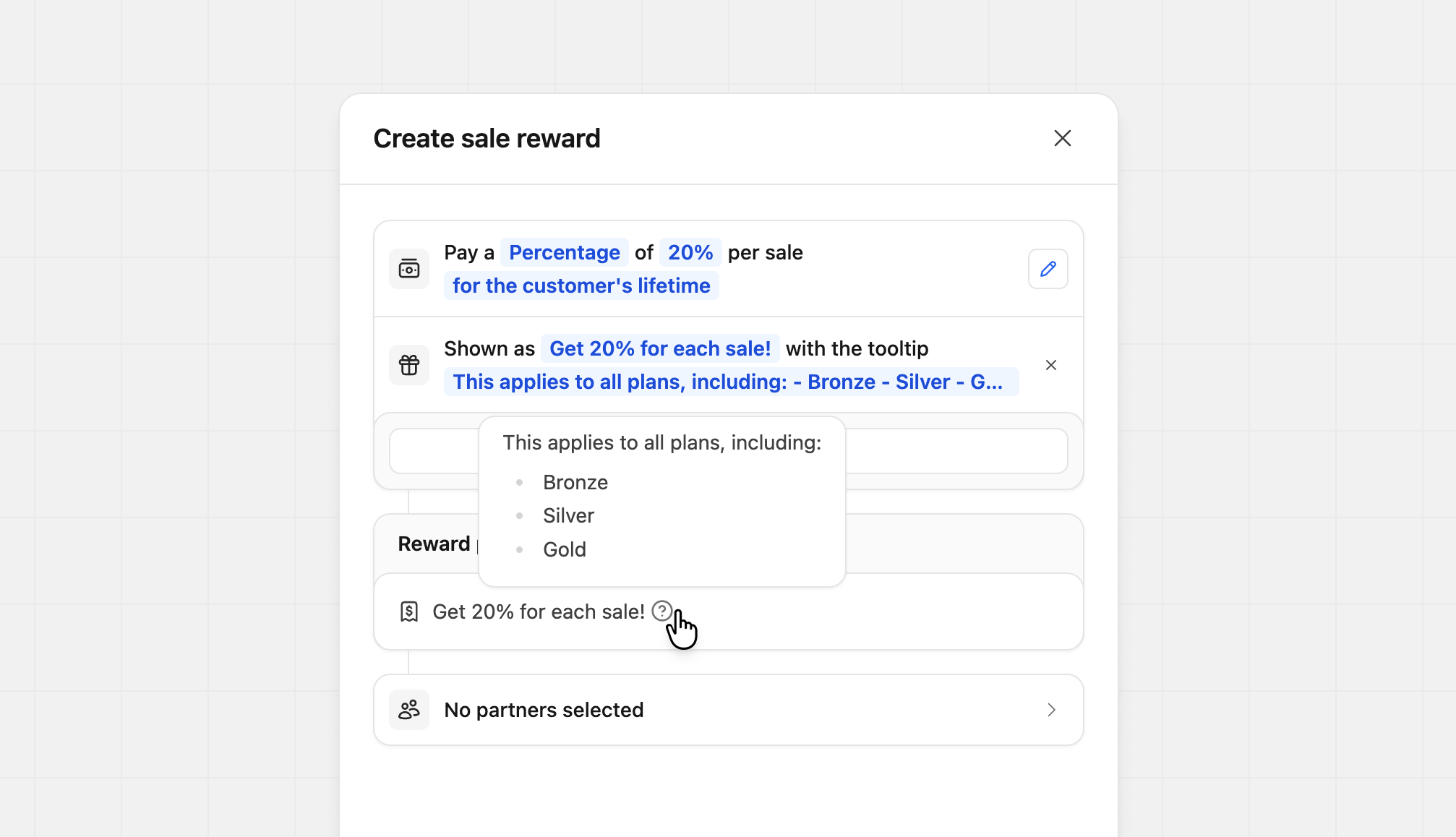 If you want to remove your custom content, click the X icon next to the custom description. The reward will revert to Dub’s default description.
Reward preview
During the creation of your rewards, the reward preview will populate with the settings you’ve provided. This preview allows you to see exactly what your partner will see on your program details and within their dashboard.
Reward examples
Here are a few reward examples with their conditions to give you some starting ideas.Geo-specific
When your partners have conversions from specific countries, reward them with a higher percentage.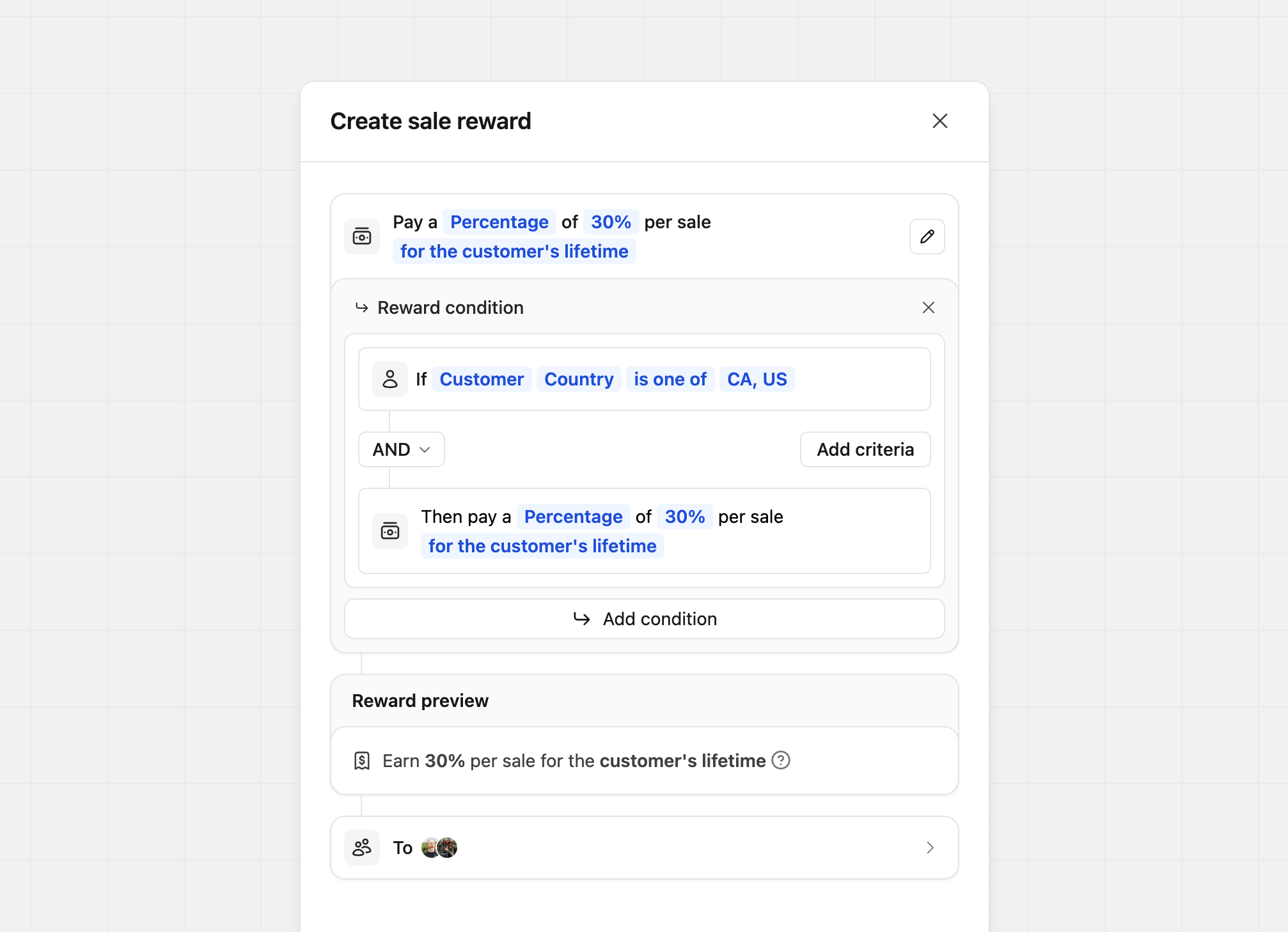 Condition #1If
Condition #1If Customer Country is one of Canada, United States, MexicoProduct spotlight
Tailor your reward amount by product. In this example, we’re rewarding more when the sale is for the Gold Plan.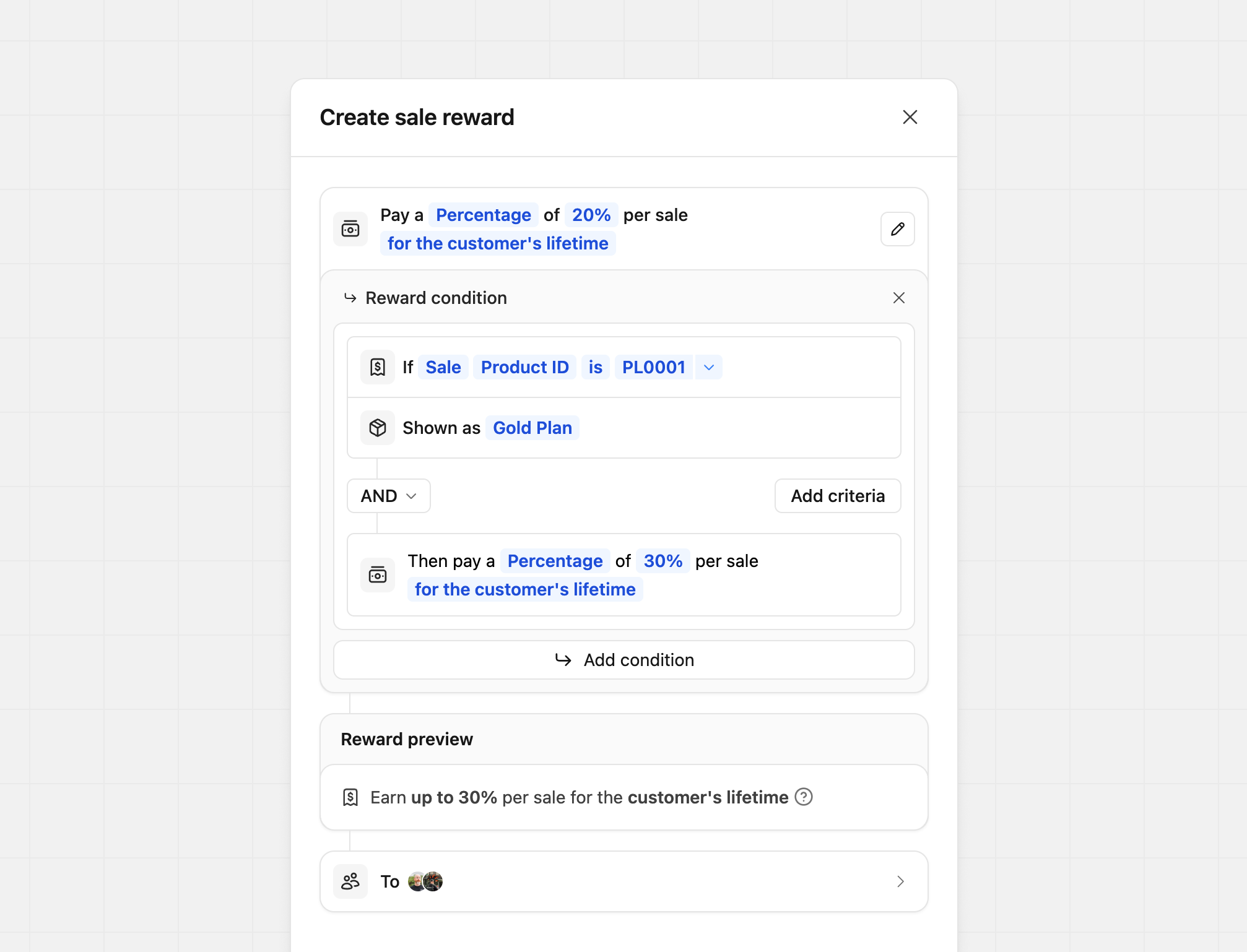 Condition #1If
Condition #1If Sale Product ID is Your product IDShow as Gold Plan (what the partner sees)Where
Your product ID is listed, you’ll enter your product ID (the
screenshot uses an example product ID)If you’re using our Stripe integration, the product ID will be the Stripe
product ID that the subscription is for (starts with prod_xxx).If you’re manually tracking a sale event via our /track/sale endpoint, you
can pass along the product ID via the metadata
prop
(e.g. metadata.productId = "prod_xxx").Partner performance tiers
For creating tiered rewards based on performance. In this example, our base reward is the smallest, and each condition is larger, starting at 50% and growing to 60% based on how many conversions the partner has.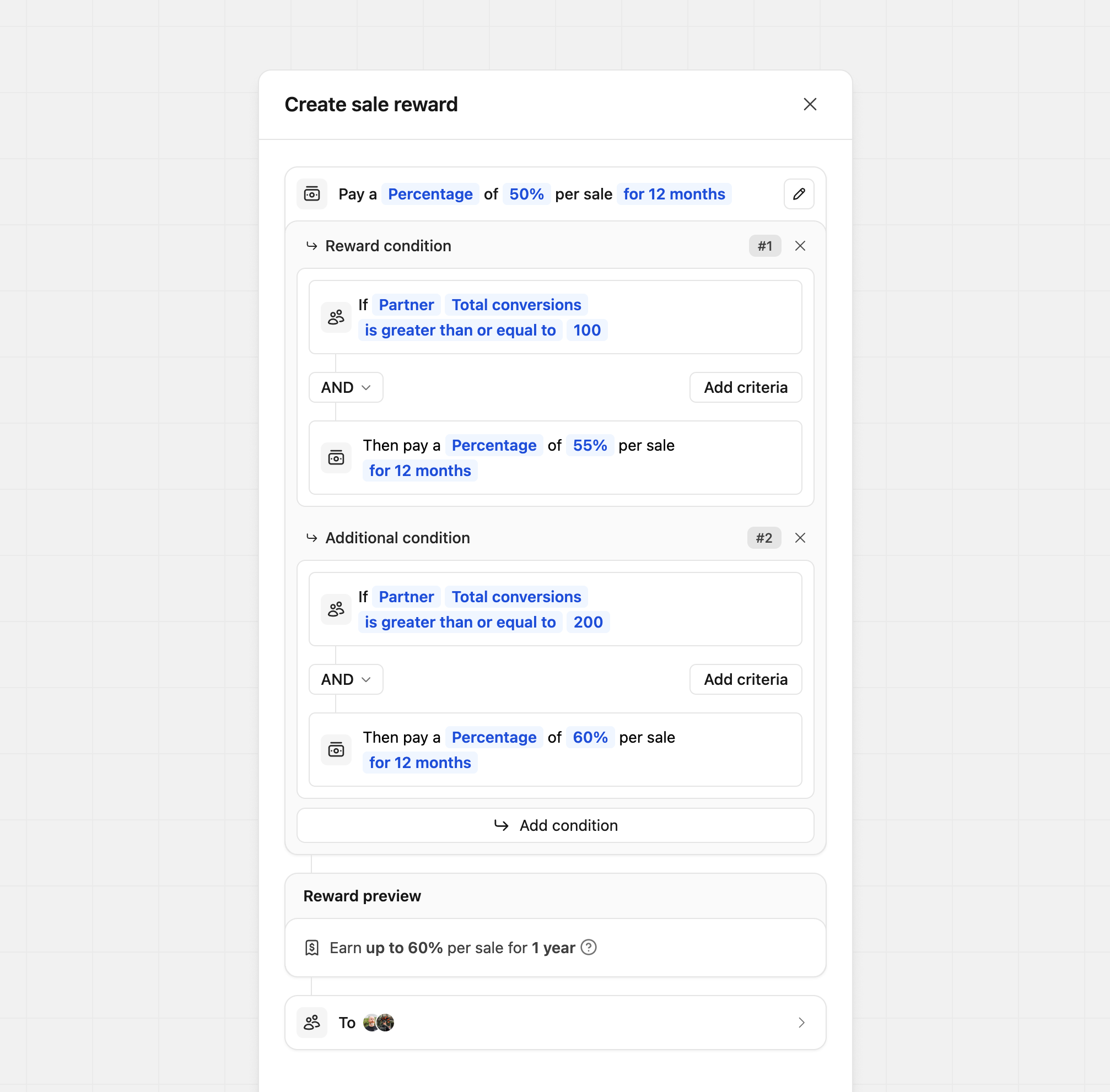 Condition #1If
Condition #1If Partner Total conversions is greater than or equal to 100Condition #2If Partner Total conversions is greater than or equal to 200Sale reward tiers
For creating tiered rewards based on customer sales. In this example, we’re giving our partners a higher reward if the sale amount is over a specific dollar amount.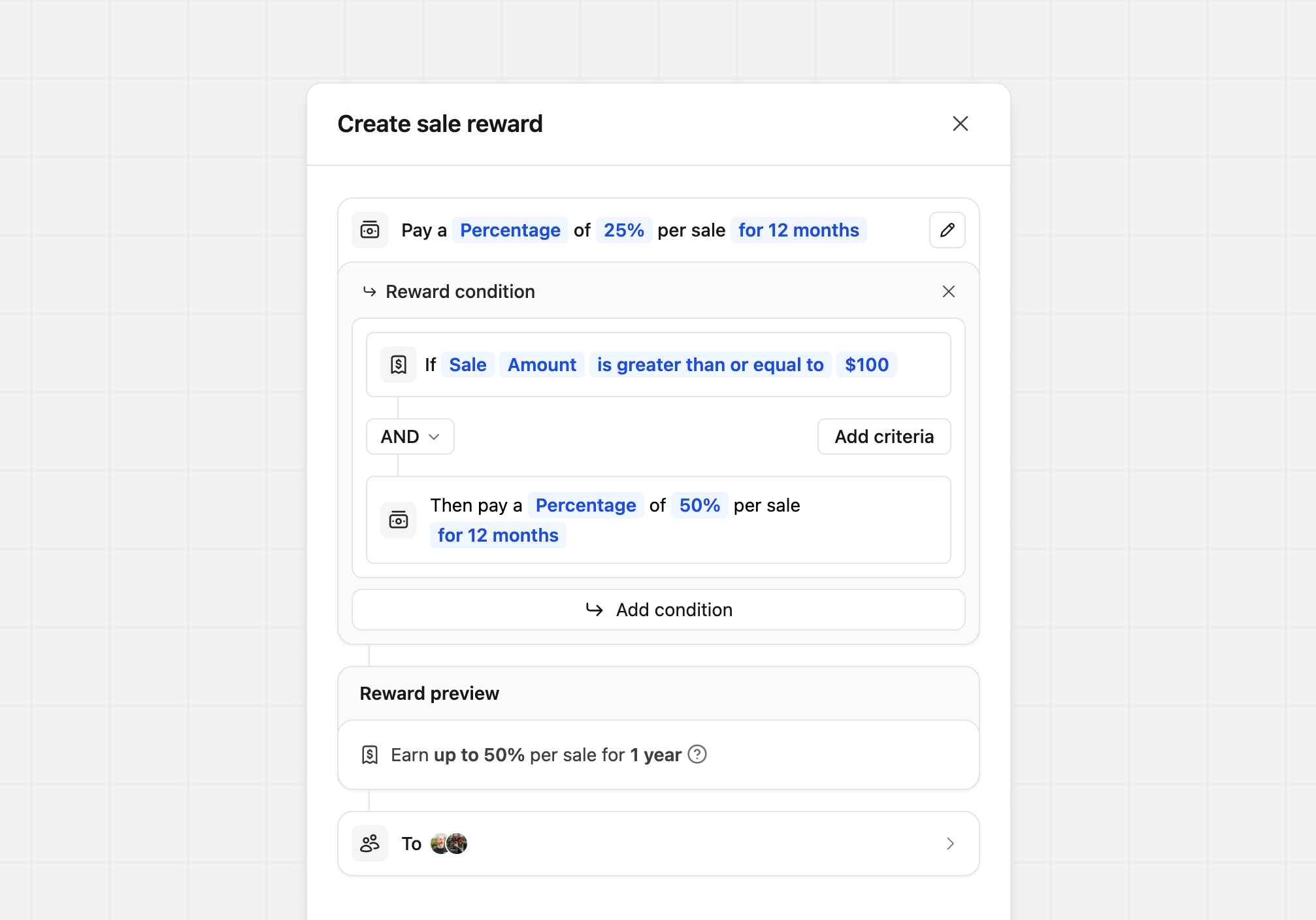 Condition #1If
Condition #1If Sale Amount is greater than or equal to $100Staggered reward tiers
When you want to offer a different reward amount after the customer’s subscription meets a specific time period.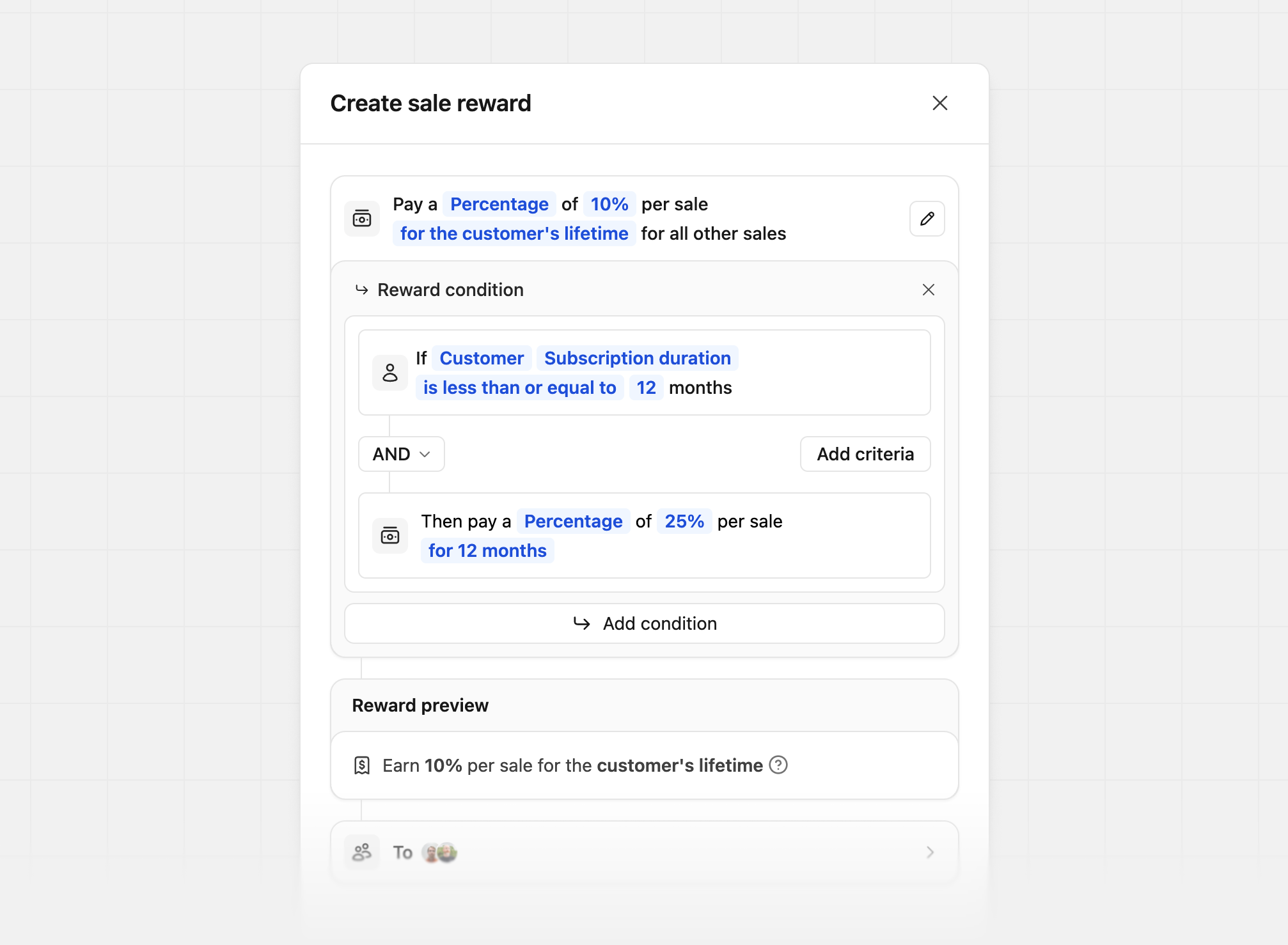 Base reward examplePay a
Base reward examplePay a Percentage or 10% per sale for the customer's lifetime for all other salesCondition exampleIf Customer Subscription duration is less than or equal to 12 monthsThen pay a Percentage of 25% per sale for 12 monthsIn this example, after a customer has been subscribed for more than 12 months,
the partner’s commission changes from 25% to 10% for all future payouts from
that customer.