How does conversion tracking work on Dub?
The way conversion tracking on Dub works can be boiled down to 3 simple steps:Click Event
This is the first step in the conversion funnel. It can either be:
- A link click on a social media post/ad
- A link click in an email/SMS
- A QR code scan for physical (or video) campaigns
Lead Event
When a user performs an action that indicates interest in your product or
service. This could be anything from:
- Signing up for an account
- Adding a product to cart
- Joining a mailing list
How are conversions tracked?
Dub uses a simple first-party cookie and server-side event tracking to track conversions.Step 1: Storing click ID as a first-party cookie
When a user clicks on a conversion-enabled link, Dub generates a uniquedub_id query parameter and stores it as a first-party cookie on your domain (e.g. .dub.co).
 This allows Dub to attribute any subsequent conversion events to the original click – and by extension, the link that was clicked on.
To enable this, you need to install the
This allows Dub to attribute any subsequent conversion events to the original click – and by extension, the link that was clicked on.
To enable this, you need to install the @dub/analytics package in your project.
This package will handle the detection of the 

dub_id query parameter and storing it as a first-party cookie.
Step 2: Attributing conversion events to the original click
Then, when a conversion event occurs (e.g. a user signs up for an account), you can check for thedub_id cookie and attribute the conversion to the original click.
 For example, if you’re using a Next.js app with NextAuth for authentication, here’s how you can send lead conversion events for new user signups.
When sending a lead conversion event, you can include the following properties:
For example, if you’re using a Next.js app with NextAuth for authentication, here’s how you can send lead conversion events for new user signups.
When sending a lead conversion event, you can include the following properties:
| Property | Description | Required |
|---|---|---|
clickId | The unique dub_id parameter that the lead conversion event is attributed to. | Yes |
eventName | The name of the event. Example: “Sign up”. | Yes |
customerExternalId | The unique ID of the customer in your system. Will be used to identify and attribute all future events to this customer. | Yes |
customerEmail | The email address of the customer. If not passed, a random email address will be generated. | No |
customerName | The name of the customer. If not passed, a random name will be generated (e.g. “Big Red Caribou”). | No |
customerAvatar | The avatar URL of the customer. If not passed, a random avatar URL will be generated. | No |
Step 3: Sending sale events
The final step in the conversion funnel is to track sale events and attribute them to the original link click. This can be done in 3 ways: Option 1: Stripe integration (recommended)
At Dub, we have a native Stripe integration that you can set up in 2-3 clicks and automatically send sale events to Dub.
The way the integration works is as follows:
Option 1: Stripe integration (recommended)
At Dub, we have a native Stripe integration that you can set up in 2-3 clicks and automatically send sale events to Dub.
The way the integration works is as follows:
- Install our Stripe integration in your Dub workspace. For security reasons, the integration will have read-only access to your Stripe account.
- When a user creates a checkout session on your app, pass the user’s unique ID in your system as the
dubCustomerIdproperty in themetadatafield. - This way, when the user completes their checkout session, Dub will receive a webhook from Stripe containing the
dubCustomerId. - If the
dubCustomerIdmatches a customer that came from a conversion-enabled link, Dub will track the sale as a result of that link.
- Install the Dub Shopify app in your Shopify store.
- When a sale is made, the integration will automatically detect and track a laed + sale event in Dub.
POST /track/sale endpoint that you can use to send sale events to Dub. Here’s an example using the Dub TypeScript SDK:
/api/billing/upgrade
| Property | Description | Required |
|---|---|---|
customerExternalId | The unique ID of the customer in your system. | Yes |
amount | The amount of the sale in cents. | Yes |
paymentProcessor | The name of the payment processor that processed the sale. | No |
eventName | The name of the event. Defaults to “Purchase”. | No |
invoiceId | The unique ID of the invoice in your system. | No |
currency | The currency of the sale. Defaults to “usd”. | No |
metadata | An object containing additional information about the sale. | No |
How do I see the conversions?
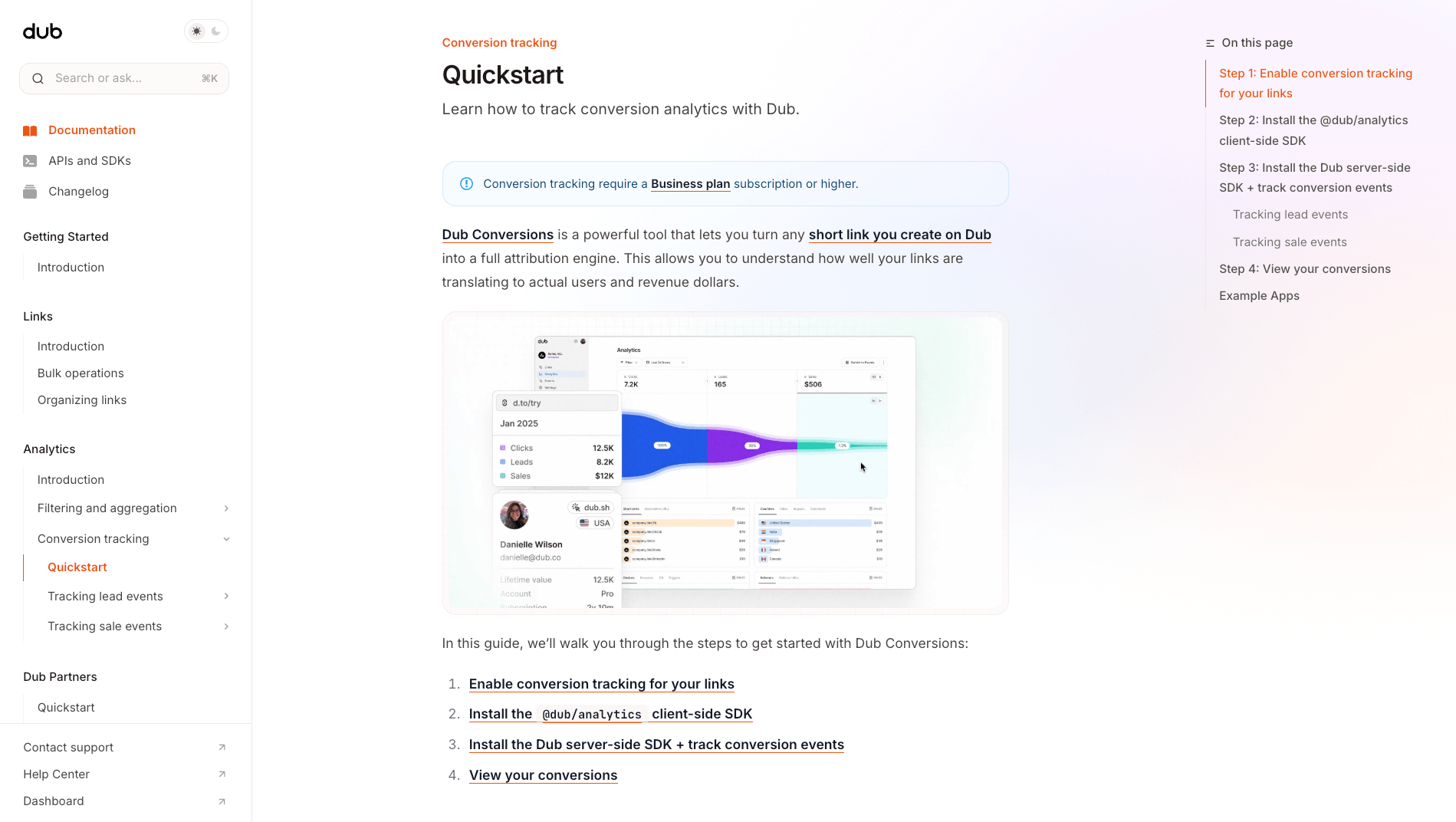
All your tracked conversions will show up on your Analytics dashboard. We provide 3 different views to help you understand your conversions:- Time-series: A time-series view of the number clicks, leads and sales.

- Funnel chart: A funnel chart view visualizing the conversion & dropoff rates across the different steps in the conversion funnel (clicks → leads → sales).

- Real-time events stream: A real-time events stream of every single conversion event that occurs across all your links in your workspace.

What can I build with Dub?
There are various use cases for Dub. Here are a few examples:1. White-labeled affiliate/referral programs
With Dub Partners (built on top of Dub), you can track how well your affiliate/referral links are performing and display the real-time analytics directly inside your application. For instance, here’s a screenshot of our very own Dub referral program – powered by Dub – that lives within the Dub dashboard: With Dub’s real-time webhooks feature, you can also build custom dual-sided incentive structures – e.g. rewarding the referrer an additional 100 credits when a new user signs up with their link.