

 To get more out of your analytics, you can export your analytics data to a CSV file. This can be useful if you want to analyze the data in a business intelligence (BI) tool, share it with your team, or import it into a spreadsheet.
Exporting link analytics data
To export data from your link analytics, follow these steps:Go to the analytics page
Go to the Dub dashboard, log-in, and choose the project you want to export data from.Click on the Analytics tab in the top navigation bar.
Download the data
Click on the 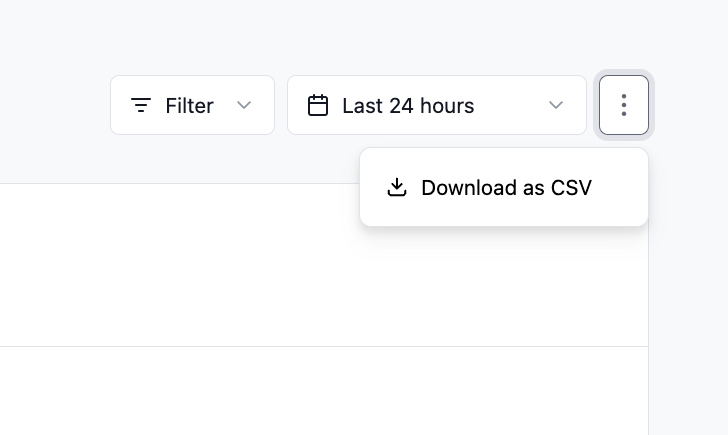 After a few seconds, the zip file will be downloaded to your computer. It contains a CSV file for every analytics type you already know from
the dashboard (e.g.
After a few seconds, the zip file will be downloaded to your computer. It contains a CSV file for every analytics type you already know from
the dashboard (e.g. 
⋮ button next to the date range picker to open up the more options dropdown menuClick on the Download as CSV option.After a few seconds, the zip file will be downloaded to your computer. It contains a CSV file for every analytics type you already know from
the dashboard (e.g. countries.csv, devices.csv, etc…).