

- Basic analytics: While Tolt shows basic clicks and leads, it lacks UTM and referrer data. You see the numbers but not what drives them.
- Frequent payout failures: Tolt offers automated payouts on higher-tier plans, but customers who migrated to Dub reported frequent payout failures. This means spending hours troubleshooting payments and managing frustrated partners.
- No affiliate network: As standalone software, Tolt leaves the task of finding and recruiting high-quality affiliates entirely to you.
- Outdated UI: Tolt’s UI feels outdated, despite the platform positioning itself for SaaS companies, where intuitive, modern dashboards are typically a priority.
- Comprehensive analytics: Dub offers powerful real-time analytics, including conversion tracking, device, browser, referrer, country, and more. Our AI feature makes filtering data intuitive and quick.
- Payouts you can rely on: We let you pay your partners globally in 1-click, with tax compliance built-in, so you can have peace of mind knowing that all payouts are completed successfully.
- Powerful affiliate network: With over 5,000 active affiliates in our network, Dub makes it easy to find and recruit high-performing partners with a proven track record of driving results.
- Advanced reward structures: On Dub, you can choose between 3 reward types – per click, per lead, and per sale (flat/percentage). You can also set different reward conditions (e.g., a higher reward for customers based in the U.S. vs other countries) and create bounties to provide additional rewards for your affiliates.
How to migrate from Tolt to Dub?
If you’re looking to migrate from Tolt to Dub Partners, we’ve built a custom migration tool that will help you migrate everything over in just 2-3 clicks – without breaking any existing Tolt affiliate links.Add a custom domain to your Dub workspace
Before starting the migration process, you’ll need to add a custom domain to Dub. This domain will be used to create short links for each affiliate link that we import from Tolt.If you haven’t added a custom domain to Dub yet, you can follow this guide to set that up.
Set up conversion tracking + client-side click-tracking
Next, set up conversion tracking to track signup and sale events. We also have some in-app guides that you can reference here.For backward compatibility, we also recommend setting up client-side click-tracking when installing the client-side
@dub/analytics SDK on your site. This will ensure all your existing domain.com?via=affiliate links will keep working as expected, which gives affiliates time to update their links to the new format.You can follow our guide on how to set up client-side click-tracking for your Dub short links to set that up.Get your Tolt API Key and Program ID
Follow this guide to get your Tolt API key – API keys can be created in the Settings → Integrations tab of your Tolt dashboard: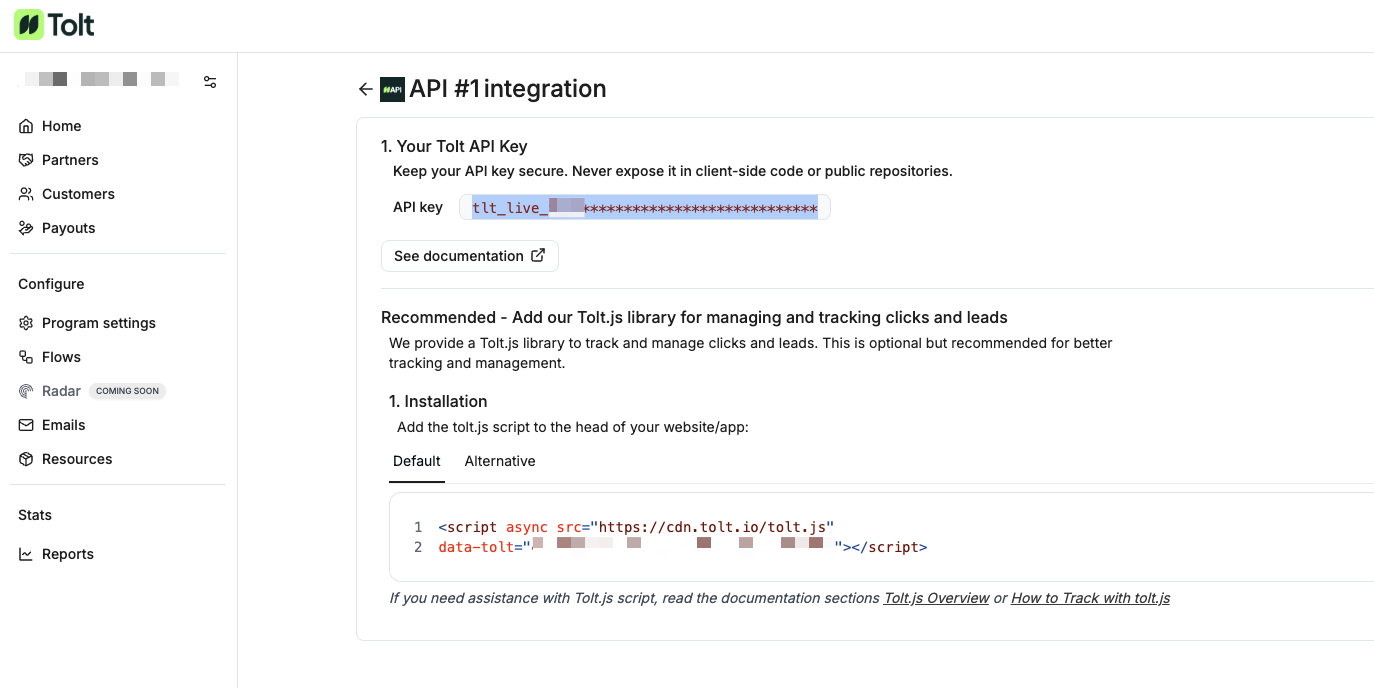 You will also need to get your Tolt Program ID under Program Settings:
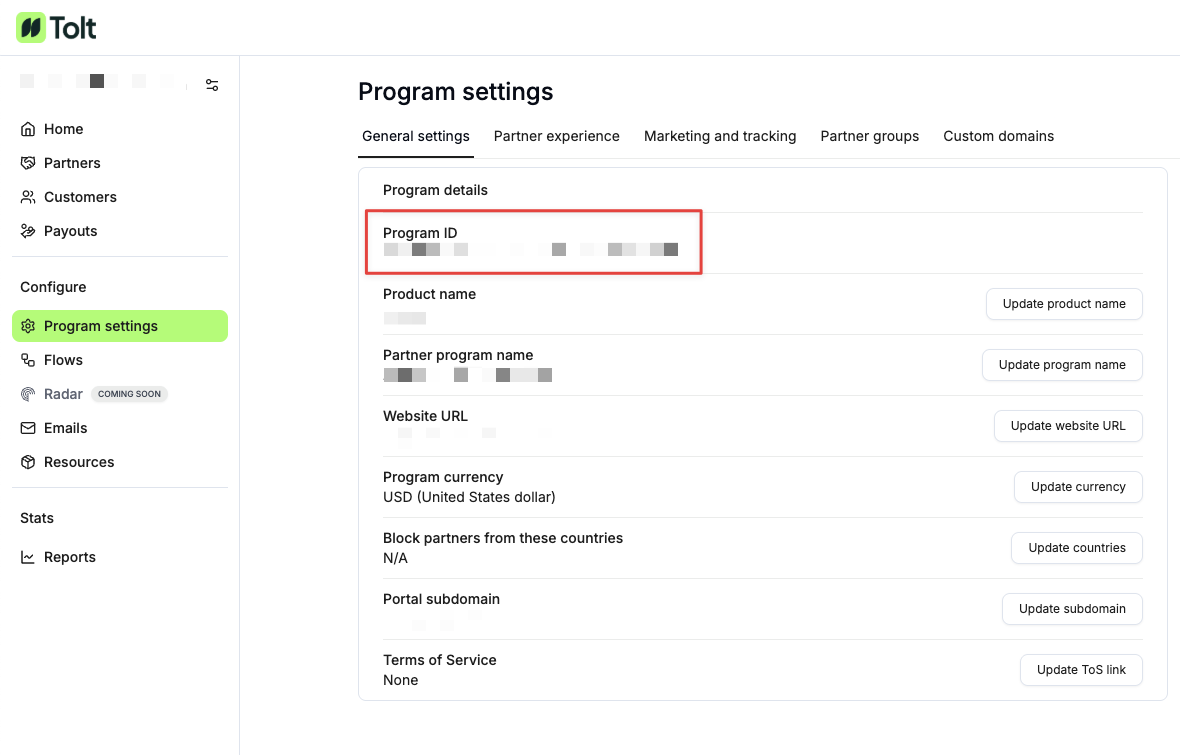 We will use the API key and Program ID to retrieve and import your existing Tolt affiliate program to Dub.
You will also need to get your Tolt Program ID under Program Settings:We will use the API key and Program ID to retrieve and import your existing Tolt affiliate program to Dub.Import your Tolt program in the Partners tab
Once you’ve set up your Dub partner program, go to your Partners tab, click on the 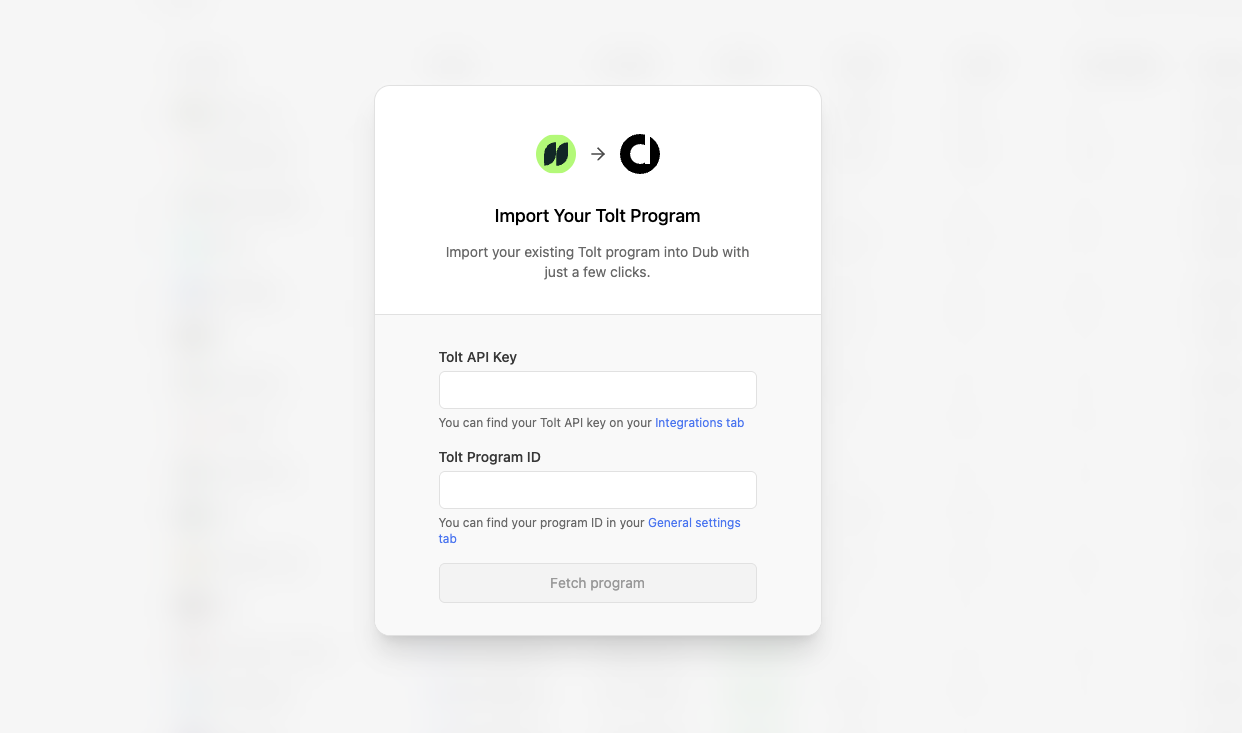 Then, add your Tolt API key + Program ID and select Continue.
⋮ button and select “Import from Tolt”.To save you some time, here’s a quicklink that will get you directly to the Tolt import flow.Then, add your Tolt API key + Program ID and select Continue.What data is migrated?
Our Tolt migration tool imports the following attributes to Dub Partners:Affiliates / Partners
To ensure the efficiency of your partner program, we automatically filter out dormant affiliates and only import the ones that are both:- In an “active” state (docs)
- Have at least 1 lead / referral
Since Tolt doesn’t expose a
/rewards endpoint, your Tolt program terms will not be migrated – all partners will be assigned to your program’s default reward.Learn more about how Partner rewards work on Dub.Referrals / Customers
By default, we import all referrals that are associated with an affiliate in your Tolt program. This ensures that all subsequent subscription renewal events will continue to be tracked on Dub.Commissions
We also import all commissions associated with any customers that were imported above. Depending on the commission state on Tolt, they will be marked accordingly on Dub as well:| Tolt | Dub |
|---|---|
Pending | Pending |
Approved | Pending |
Paid | Paid |
Rejected | Canceled |
Refunded | Refunded |
Fraud: Useful for marking a sale as fraudulent and excluding it from any future payouts.Processed: When a commission has been added to a payout (after any applicable holding period).Duplicate: Useful for marketing if a commission was rewarded more than once and needs to be marked as a duplicate event.
Next steps
After importing your program, here are some recommended next steps:1. Set up your bank account for partner payouts
Dub Partners supports 1-click payouts to partners all across the globe.
We generally recommend using ACH for partner payouts as it is the most cost-effective option. Here’s how you can set up your bank account for ACH payouts.

2. Notify your affiliates about the platform change
Next, you’d want to reach out to your existing partners and let them know about the platform change. To do that, you can send them an email with the following example verbiage:Hey, Starting today, we are switching the [Your Company] Affiliate Program from Tolt to Dub Partners. To get started, follow these steps:Let us know if you have any questions!
- Sign up for a Dub Partners account here:
partners.dub.co/{your_program_slug}/register- Connect a payout method to receive your commissions.
- Start sharing your shiny new referral link with your audience 🚀